All-In-One System: Two-Card (2704 Unique Images), 3-Digit 000-999 P.O., 2-Digit 00-99 P.O., and 10-Digit Binary. An Experimental Learning Journal

Wellllll… Lets see where this goes.

(BTW, thanks to @Mike4 for some great discussion and thoughts on big systems and giving me some good reasons to go in this direction.)

In a nutshell, I want to see how it would go to try to build on what I accomplished with the Shadow System.

I basically want to lay out a structure that follows all of the rules for Shadow, except that instead of using a 2-block system, expand it to it’s true 2704 image potential. (But in a slightly different way than what Lance originally envisioned with his “shadow images.”)

Gonna do this by using all of my existing associations for Shadow, but adjusting them so that all of the Characters associate with black-first pairs and all of the Non-Characters associate with the red-first pairs. Think of it as a “Person/Object” card system with 1352 phonetics that each generate two distinct images.

(Sidenote: I just don’t love those words “People” and “Objects” to describe the technique, because not all my Characters are “people” and not all my Non-Characters are “objects” in the traditional senses of those terms. I’ll continue to use them because they’re kind of the “standard terms” but just understand that I don’t strictly limit myself to those literal categories.)

By building this way, I can simultaneously expand to a “P/O” 3-digit number system, and a 10 digit binary system (where all the Characters add a leading 0 and all the Non-Characters add a leading 1.) This system also makes use of 96 of the 100 images needed for a 2-Digit P/O, so if anyone feels like attempting to tackle learning this system without any prior number or card experience, they can acquire all of these benefits simultaneously!

This will require “unlearning” half of my card pair associations from Shadow and replacing them with brand new images. This is ok because I already have the new words. I came up with a full “P/O” list for Shadow this past year but never had a way to implement it until now.

I have no hard deadline for this project like I did for learning Shadow. This will be a more fluid journey and journal. I’m basically interested to see what the process would be like to unlearn and rebuild part of the system and see if the advantages I think it will confer will be worth the effort needed.

I probably should just stick with pushing regular Shadow faster and faster but I’m not trying to be an elite competitor (yet) and I have too much fun with the puzzle aspect of tinkering with systems, so I’m gonna see where this idea takes me!
7 Likes

Spent a while yesterday and today creating a new Anki deck for this project. Well, I really just copied my existing Shadow System deck and have started going through and separating all of the images so that all the “People” are on the black-first pair flashcards and all the “Objects” are on the red-first ones. Then started filling in the holes where they were removed with the items from my P/O list. It’s a time consuming process, but so far I’m liking the images that the new words are generating. Halfway through the combos at this point. Should have them all in by the end of the weekend.

Once that’s done I’ll probably go through and try to find as many actual pictures as possible to use instead of just having text. I loved how that worked for my original Shadow learning. That also takes a lot of time, maybe even longer than building out the deck in the first place, but I enjoy that process. Seeing all of the options that an image search returns when punching in each keyword kind of stimulates my imagination and ultimately provides a concrete anchor image to build off of. Otherwise there is a tendency for me to just read the card as the word instead of making that strong connection to an image, at least that’s how it went when I was in the beginning phase of learning the base Shadow System. I wonder if that part will come easier now that I’ve done it so much the first time around? I think it should.

I somehow was able to find pictures for all 1352 of of my original shadow list. I don’t think I’ll be able to do that with this expanded version. I’ve got several entries that are names of old teachers or acquaintances that I’m pretty sure will be impossible to find images of so I’m just gonna have to accept that there will be some cards where the answer side will be just text. The slightly OCD perfectionist in me squirms at the thought, but I’ll be ok haha!

From a practical standpoint I also played around a bit with running through pairs from the 000’s that I had gotten separated yesterday and have new words for. I wanted to see how bad it would be to start “unlearning” some of those connections to those card pairs and replacing them. It actually wasn’t too bad. I had some crazy deja vu as I was taking 30 or so seconds to sound out come up with the new answers and sometimes totally blanking on those new words. I wasn’t discouraged though, if anything I was like ahhh that familiar feeling of challenging myself. I know I overcame it last time and will for sure do it again!

4 Likes

So. Much. Clicking and typing.

2704 pairs is a lot.

Spending 30 seconds to create a flashcard for each one in Anki will take 22 hours. I already have half of the cards set with all of their words and images, but I have to clear and enter new info for 1352 of them. That’ll be just over 11 hours of work minimum just to get a bare minimum Anki deck ready to get started.

Thats just for entering TEXT for the new ones. Finding good new images, saving and naming them, and then uploading them to the correct cards will take significantly longer. Lets say 2 minutes per image (thats probably a fast estimate.) So thats another 2704 minutes to get images in there, another 45 hours of work at least.

So figure 60-70+ hours of total prep time just to get the Anki deck set up the way I want it to learn the associations.

Oof.

This is ok though, because all of it is time spent working mentally with the images and kinda passively associating them with the sounds and the card pairs. Anki will be active learning, but this is valuable time as well.

This project is absolutely akin to eating an elephant. And how does one eat an elephant?

…one bite at a time.

6 Likes

Finished updating all flashcards with text for the rearranged and replaced words. Gonna start working on learning new associations. I think I’m going to try to learn two suit combos per week. This would get me through all of them in about two months. This should give me a good idea of if I want to continue with this or bail. I’ll look for images to insert into the flashcards bit by bit as I go.

Wish me luck haha!

2 Likes

A quick look into this process…

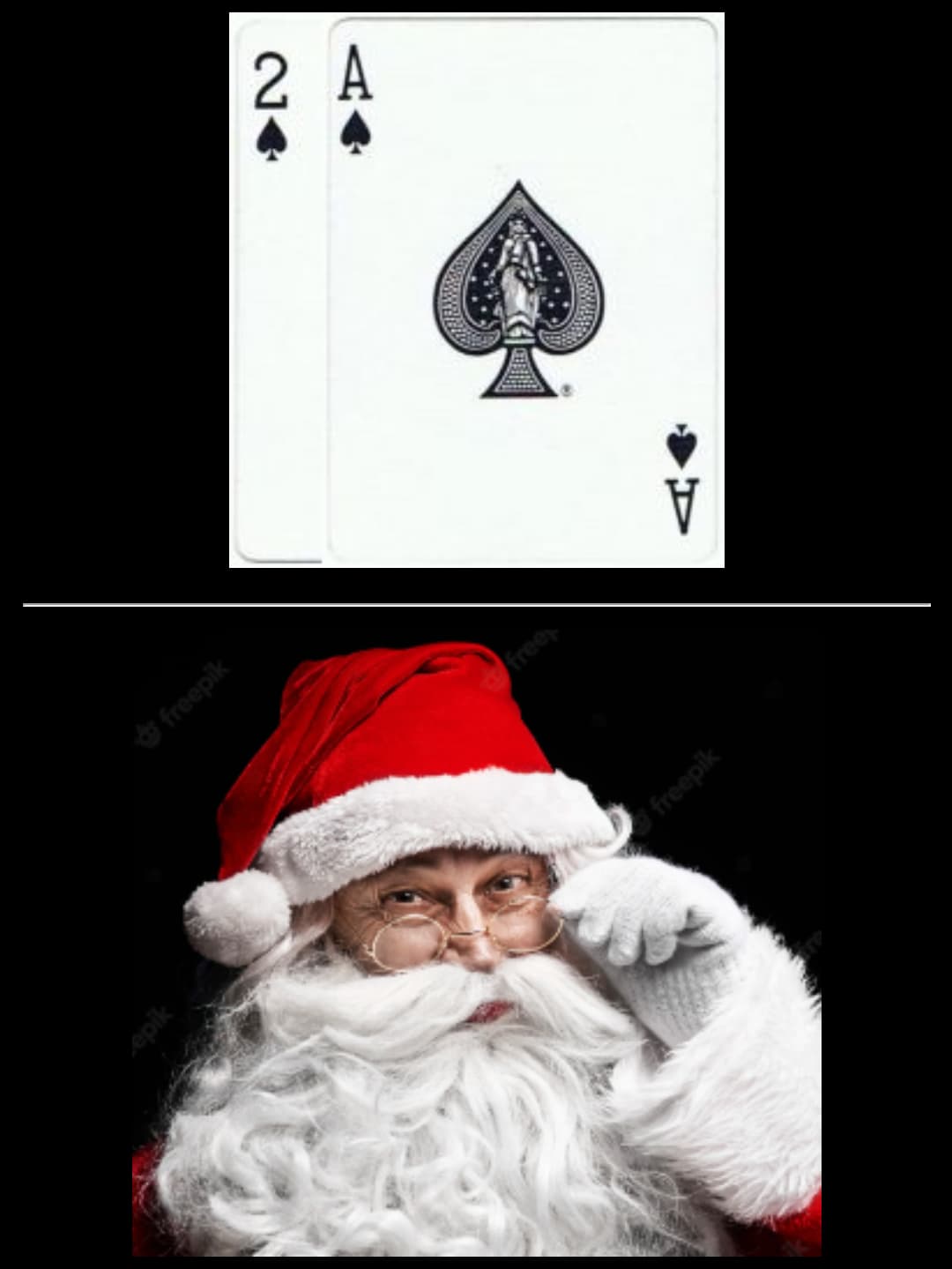
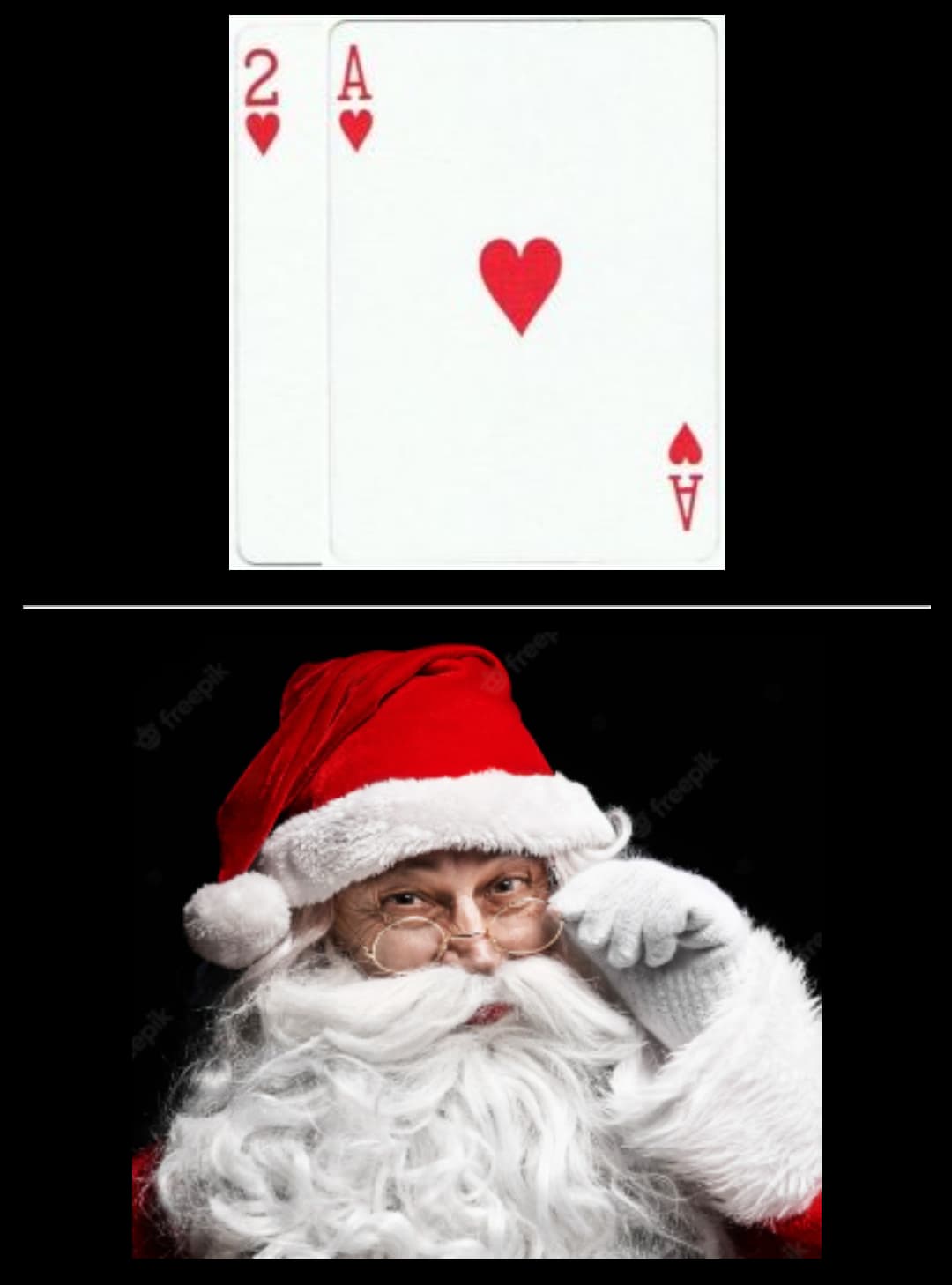
With the Standard Shadow System (SSS) you have the same image for two card pairs: one black-first and one red-first. Like this:

In my Expanded Shadow System (ESS) I designate the black-first pairs as representing “people” or “characters” and red-first pairs as representing “objects” or “non-characters.”

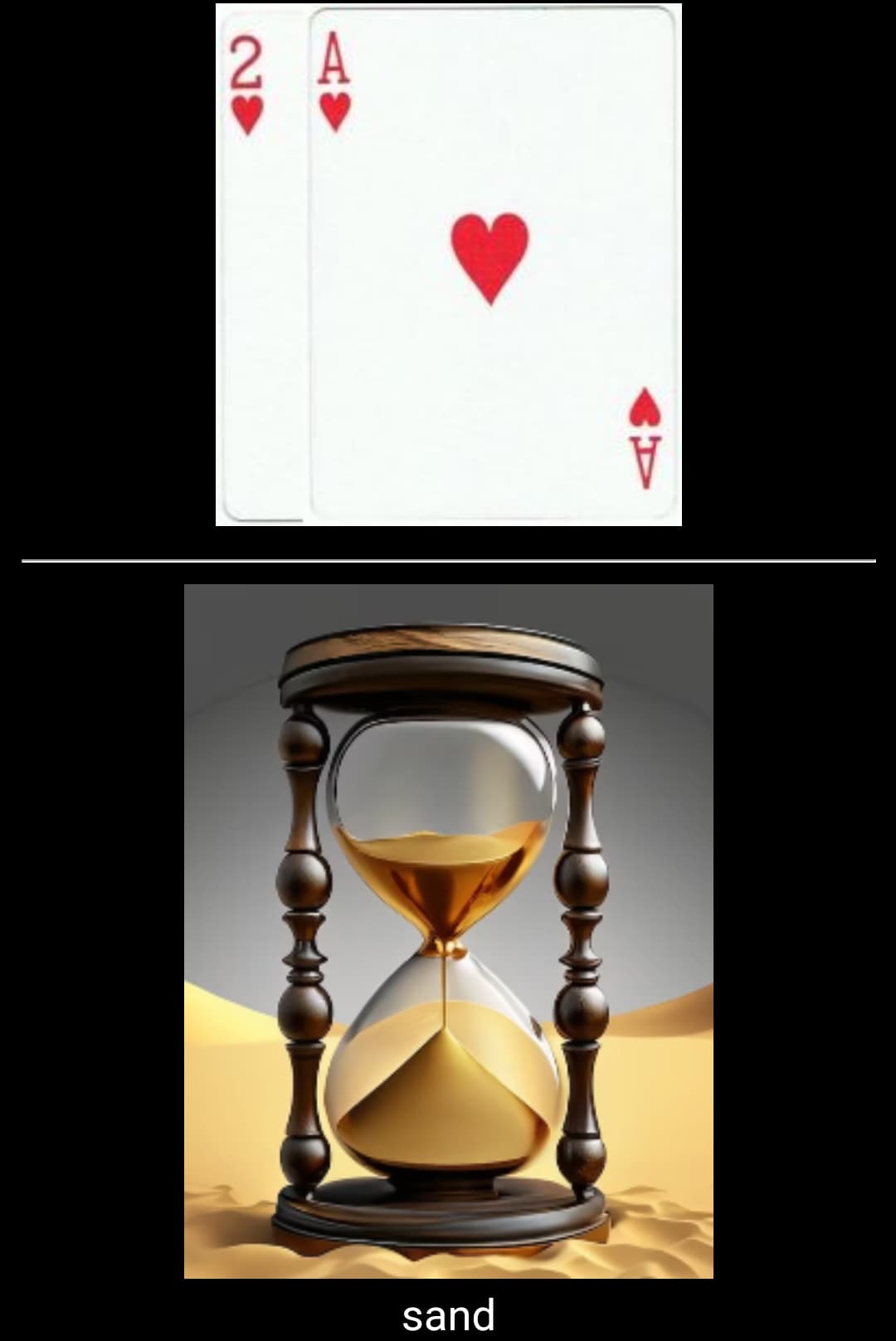
So these same two card pairs that were both represented by Santa in SSS, now need to be split and a new “object” image substituted for the red-first pair in ESS. The word that triggers the new image needs to follow the same phonetic rules. Like this.

So the challenge is retraining myself to retain the association for the correct pair depending on if my original image was a Person or an Object, while also breaking that association with the now incorrect pair and building up the new association.

Right off the start, i’ve noticed an interesting thing happening that has made me chuckle a bit because it’s going against what I usually advise people to do…

Because the association is so strong and quick for my original image to both pairs, I find that I subconsciously read them both first as that image and then have to consciously go “no, that one is THIS.” But in the process of doing that I reflexively connect the new image with the old. So for the pairs above, SANTA and SAND, I picture Santa first and see him turning over the Sand Timer as if starting the countdown to Christmas. This is something I try to avoid and advocate against for people who are learning new associations like in a PAO. So I feel kinda hypocritical for doing just this with these new images, but the thing is, I’m not consciously choosing to build these scenes, they’re kind of an outgrowth of the automatic reflexive recognition I’ve built with the original imagery.

After several reviews yesterday and today, Santa has started to fade away a little bit for that red-first pair and the Sand Timer is gaining prominence, and I know eventually that middleman connection will drop away, but I found it funny that the combination of images was happening on its own, without my consent! :stuck_out_tongue:

I think I still stand by my advice to discourage element linking as much as possible when there are no existing previous associations, but when overwriting needs to happen, it may be unavoidable!

1 Like

Found images to use for my flashcards for all of the new :spades: :spades: / :hearts: :hearts: pairs. I love seeing the actual images when working in Anki instead of just text.

169 images down… 1183 to go.

1 Like

Found all the new images for :spades: :hearts: / :hearts: :spades: today! So thats 25% of the new images that I need to find!

338/1352 of the way there!

This is looking manageable and its going MUCH faster than my original load in for Shadow.

A plus side to getting these images in quick is that once I get a little bit familiar with those four suit pairs, I can start doing practice runs with a physical deck of double hearts and spades and see how this full approach feels. I’m gonna do two elements per loci, 13 loci total for the deck. Excited to put it into practice.

Not going to make the mistake I made in my first run at Shadow where I didn’t get around to practical practice until I knew all the images. Going to work simultaneously on all of that right from the start. No excuses for procrastinating any more! I’ll learn from my past inefficiency.

Another upside is that I won’t be starting from scratch with palaces to use for cards either. I’ve got quite a few now that I expanded to towards the end of the year so I’ll be able to do several deck attempts each day.

I’m basically three days into working on new pairs and they’re starting to click nicely. I’m definitely gonna push myself with quantity in the association onboarding phase. I proved I can handle it, so I feel good about accelerating that pace.

3 Likes

Got the :clubs: :clubs: / :diamonds: :diamonds: images figured out and imported into Anki today.

That brings the new image count to 507. Only 845 more images to find. At this rate I’ll have them all set by the end of next week!

Been reviewing the new :spades: :spades: / :hearts: :hearts: images twice a day this week. They are actually starting to lock in fairly well. MUCH easier than original Shadow. Still a looong way from the fluency I achieved with those original images, but they’re progressing much quicker at least in this early phase of the expansion.

I set up flags and tags in Anki for either “NewImage” or “OldImage” for all 2704 pairs. This way I can filter a deck for a custom study session with all of the familiar image associations but only their single pair that they now go with. So like Santa ONLY links to [2 :spades: | A :spades:] now and I can review just that association. This will let me hopefully maintain the speed I’ve developed with those OldImage associations while reinforcing the “correct” single link to the proper color-first pair. I can also filter to just the NewImage cards and run those on their own to try to isolate and strengthen the new overwritten associations.

Working well so far!

1 Like

:clubs: :diamonds: / :diamonds: :clubs: images are all in now too.

Half of the new images are imported! And somehow I was able to find a good image for every single word! I may end up with all of them after all!

1 Like

:clubs: :spades: / :diamonds: :hearts: images are all in now too!

Unbelievably, I’ve found pictures for all 845 new pairs so far.

507 images left to find, just 3 sets to go!

I’ve been running through images in Anki at least 3 times per day. One run is just the 169 new images of the :spades: :spades: / :hearts: :hearts: set. Another is all 1352 old images with their correct single associations. And last is a set of all 338 of the combined :spades: :spades: / :hearts: :hearts: pairs with both old and new images to start learning to differentiate the “people” pairs and the “object” pairs. That part has been going pretty well.

The main challenge is breaking the old reflexive association of the old images to their “incorrect” pairs and making them trigger the new images. A major part of this is drilling the idea into my head that “black first = person” and that “red-first = object.” I’m slowly building that into a subconscious recognition.

This is the only “downside” that I recognize in this system that keeps all of the phonetic structures the same across pairs of suitpairs. Its initially a two step reading process. First recognize color to reduce the image pool to people or objects. Then read the phonetics to narrow down to the exact image.

In a system like Ben, there are expanded phonetic structures so that every card pair has a unique sound which generates 2704 distinct images. There’s no secondary sorting trigger, its just the sounds. BUT, doing this there is no inherent rule to generate people or objects, its just whatever image follows the phonetics.

I think the tradeoff of that second conversion step in the fluency building stage of this new system is justified by the fact that this creates a natural 3-digit PO list and a natural way to distinguish 10 binary digits without any extra effort.

In order to generate a PO list via Ben, you’d need a way to convert non-standard numeric sounds into doubles of numbers from 000-999 and you’d need to be careful to turn those specific range sounds into either people or objects. I’m not sure this is feasible given Ben’s structure. There’s also an additional learning curve with Ben if you’ve used Major for numbers for a while because you’ll need to overwrite those sound associations to accommodate the expanded phonetic requireme ts. As a pure card system, I think Ben style with unique phonetics for all 2704 pairs is a bit superior, but as an all-in-one I like the approach of this system, especially because it retains familiar Major system phonetics throughout.

1 Like

Finished images for the :spades: :diamonds: / :diamonds: :spades: set today and began learning the new images for the :spades: :hearts: / :hearts: :spades: set.

I’ll start actually working with a deck of double spades and hearts tomorrow and see how I do trying to apply the system!

1 Like

Two Anki sessions with the new :spades: :hearts: / :hearts: :spades: images under my belt. So far, so good. I’m embracing the fact that I already have the old connections in there and that learning the new ones is going to just reflexively become a person/object or object/person temporary fusion. After the first week of reviews the :spades: :spades: / :hearts: :hearts: have gradually started to directly connect to their new images even though much of the first couple days of learning involved fused P/O interaction. That middle connection is dropping away faster than I expected. This bodes well for the rest of the learning process and reduces some of my initial concern about overwriting and developing extra conversion step connections.

Later today I’ll try a couple deck runs with actual cards and see how it feels. Anticipate it being pretty slow, likely in the 3 minute range since those new images are still taking 5ish seconds to recognize (some longer.) Thats fine. I think the speed increases will happen much more easily this second time around.

1 Like

Finished the last of the image gathering today! Incredibly, I somehow found a solid picture for every single card pair!

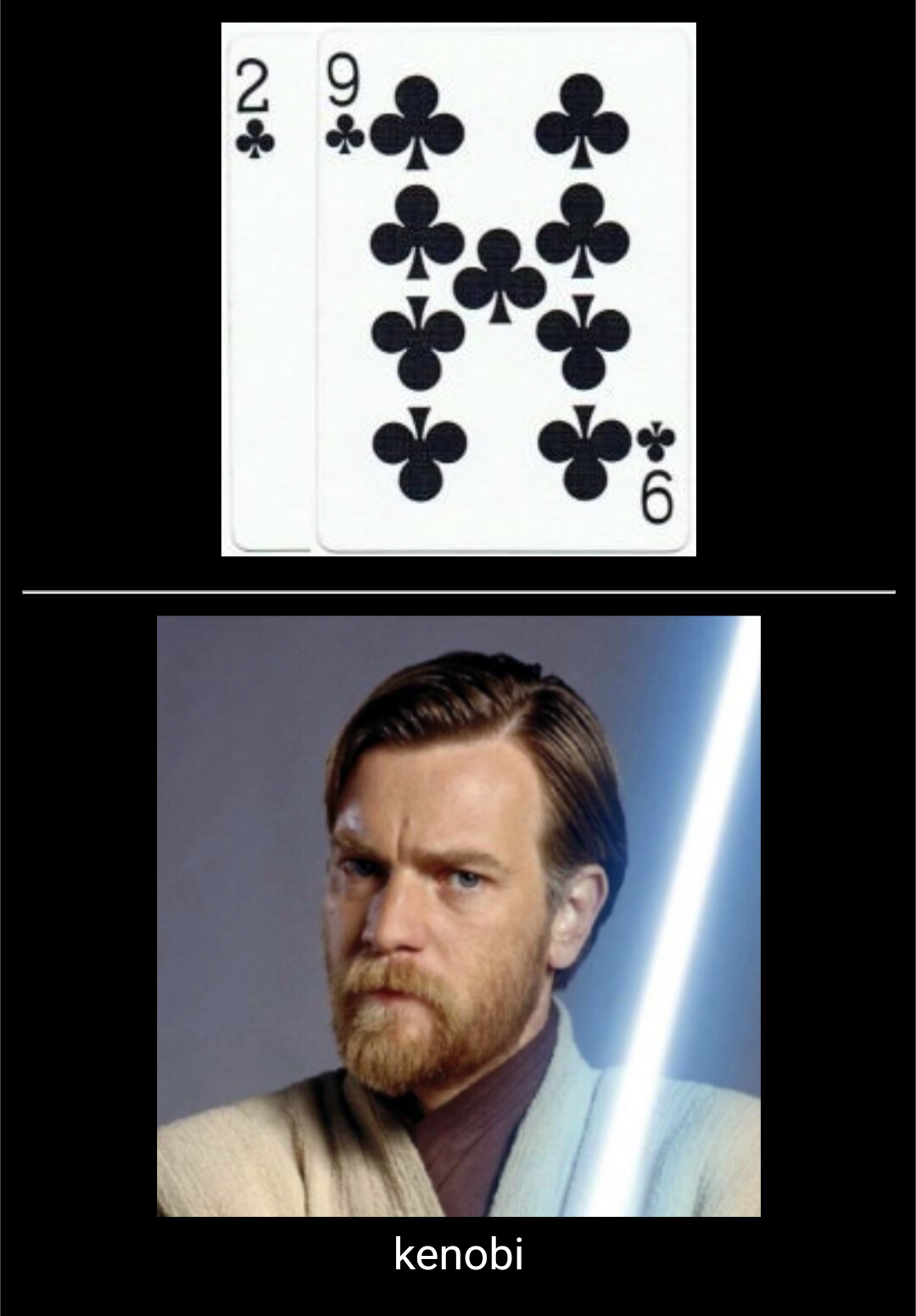
I LOVE having an actual visual to focus my attention when learning these new associations. Even with something as straightforward as “Kenobi” where its an image of Obi-Wan, there are tons of possible variations… Old Ben played by Alec Guinness or young Ben by Ewan McGregor or middle-age Ben by Ewan? Or is it the animated version from Clone Wars… What outfit? Using a lightsaber, or not? All of these variables can come into play if memorizing the association just from the word “Kenobi.”

But, if I have an actual picture that pops up on every review then THIS is the “Kenobi” that starts baking into my automatic recall:

By focusing on retaining and recalling a specific image, there is less hesitation on recognition and more focus can be put towards animation and interaction when memorizing.

1 Like

Yes, having images for all cards feels great. I’m almost done memorizing my 3-digit list, and I think it would have been quite boring to have only words there.

I came here just to congratulate you on your hard work and give you a tip. If you’re also practicing decoding, you may feel better by seeing only the picture since you won’t be helped by the name on the screen.

You can make the name disappear by changing the code of the card type. On the front of the decoding card, you’re going to see something like this:

{{NAME-OF-THE-FIELD}}

Instead, write:

<div style='font-size: 0px'>{{NAME-OF-THE-FIELD}}</div>

The text disappears, but the image stays. If you wrote the name in a different field from the images, then you can ignore what I said.

Also, I noticed I’ve been looking forward to your next posts like I’d look for a blogger’s new post or a YouTuber’s new video. It’s exciting to accompany you in undertaking such a huge project (again!). Congratulations, Tim!

1 Like

Haha thanks!!!

I’ve semi-retired from making my youtube music videos so this has become a new kind of creative outlet. :wink:

Thanks for the suggestion on the coding. Looks like thats a simple one-time card style change that just basically shrinks the text to nothing rather than deleting it from the entry. If thats what it does, thats REALLY handy and will save a bunch of time rather than manually deleting the text from all 1352 new cards.

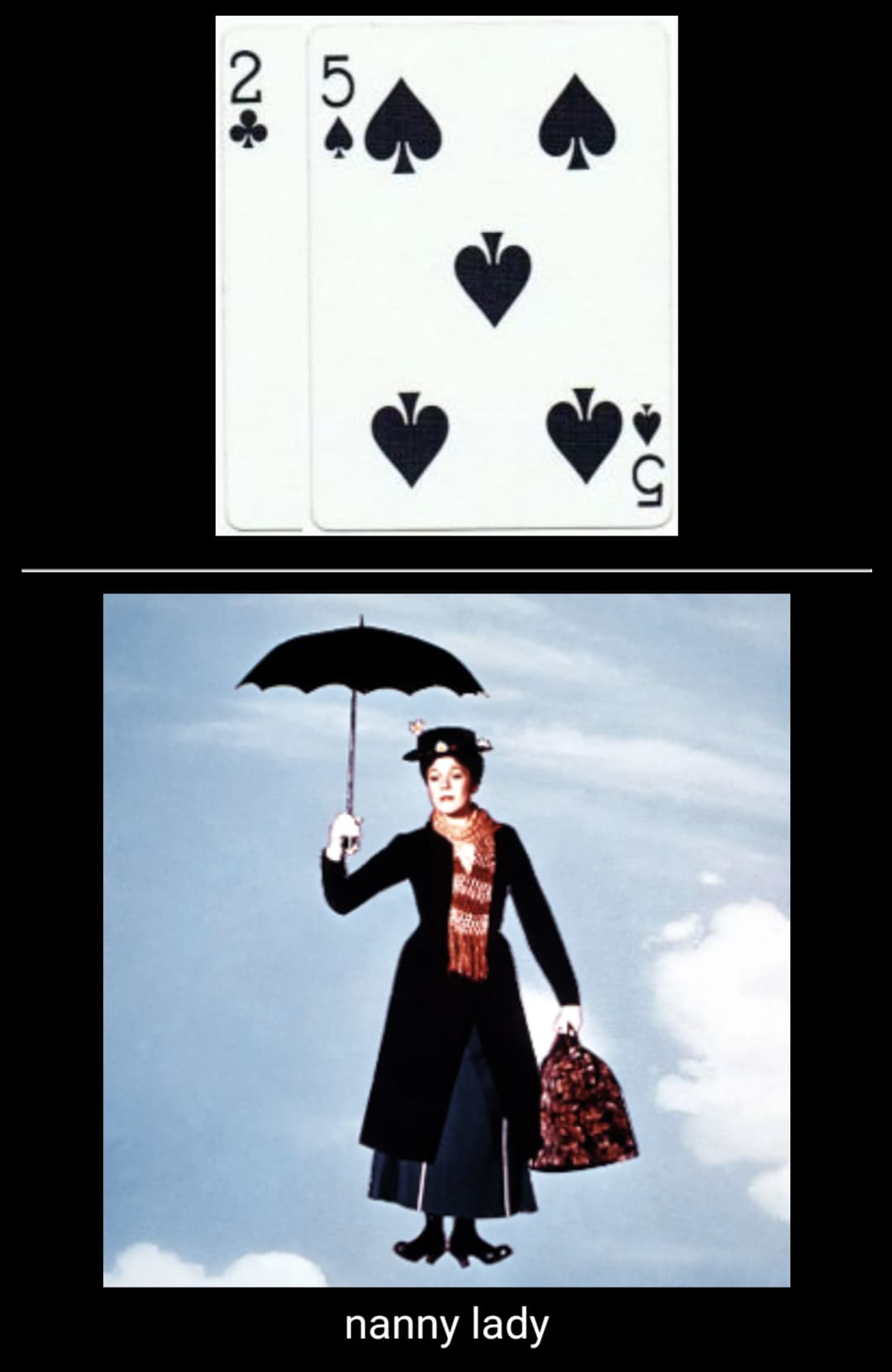
I’m definitely planning to remove the word after a bit once the encoding associations stick a bit more. I have them on there initially because this go-round I’ve taken a lot more liberty with my word/phrase to image links… A lot are straightforward and self-explanatory like “Kenobi.” But there are many that are a little less immediately clear, like this one:

It’s gonna take me a few reps before I read the card as NaNNy Lady and make that connection to mary poppins. Once thats better established, the word will get dropped.

1 Like

Exactly!

I don’t know if I understood you correctly, but you don’t need to manually create the 1352 new decoding cards. Maybe you already know this, but it’s possible to create sibling cards on anki. These are cards that have the same fields but show different information during revision.

If you go to a card’s type by clicking on “Fields,” you’re going to find a button named “Options,” which will allow you to “add a new type of card.” If you do that, you can choose what appears on the front and on the back.

For instance, the front will be probably like this:

{{CARD-FIELD}}

while the back will be:

{{FrontSide}}

<hr id=answer>

{{IMAGE-FIELD}}

If you want to create decoding cards automatically, you should click on “options” and then “add a new card type.” Write the following on the new front:

{{IMAGE-FIELD}}

On the back:

{{FrontSide}}

<hr id=answer>

{{CARD-FIELD}}

Later, you can find all these cards by searching on Anki for “card:1” (for the encoding ones) or “card:2” (for the decoding ones). If you create further card types, you can find them by searching “card:3” and so on.

2 Likes

I was talking about removing the text prompts on the answers for the encoding cards once those new associations are stronger, leaving just the image.

Yeah, new card types with rearranged or replaced fields are a lifesaver! I’ve also got number and binary fields in the note version of all of these already so if/when I’m ready for working on those aspects I can do new card types that just grab that info for new front side prompts that take the place of the card pair images.

2 Likes

Oh, I see. I misunderstood you then. I’m probably gonna maintain the names in my deck for completeness and because I intend to share it in the future.

Me too. I decided to put all methods into the same notes, like an all-in-one deck. I ended up with 32 types of cards. Although there are just 1.111 notes, Anki automatically generated 17.634 cards, and there are still some to add. There is no way I would have built all of them manually. I’m glad to see that you know how to use this as well.

Btw, I saw your YouTube channel. You got both skill and good musical taste, haha.

1 Like

Here’s some initial thoughts after my first test run with a physical deck made of double spades and hearts (so 52 total cards, same capacity as a normal deck, just limited to the suits that I’ve learned all of the new images for.)

I love this system.

My speed naturally took a big hit as my fluency with the new images is still not there, but man was it great to just fire off two and only two images per loci, have them interact in a natural way, and not be distracted by the possibility of expanding the scene with every new pair flipped. I loved that I knew exactly how many loci I’d need and how on recall I could find the exact position of any pair just by counting by twos through the loci.

It was SO EASY to recall the images at each loci.

I am extremely confident that I’ll be able to get back to a sub60 time with this system and have more room to improve.

The other positive is that I had little to no hesitation differentiating between people and objects. That black-first / red-first signal that used to instinctively clue me in during variable image stacking has already started to become automatic in focusing me into my “person mode” or “object mode.”

Can’t find any negatives yet with this, other than the added time to learn the new associations, but I’m totally up for that.

Woo! Onward!

4 Likes

Added the :clubs: :clubs: / :diamonds: :diamonds: pairs today. Up to 507 new images seen at the start of the 3rd week. Previous new sets are getting quicker. Person and Object differentiation based on color is also strengthening. Still doing a practice deck each day with the hearts and spades. No real improvements with speed there yet, but it reaffirms that I definitely like this unambiguous two-image-per-loci structure!

2 Likes