I’ve uploaded the tool that colorizes ebooks for synesthesia training so people can now convert ebooks (or other text) by themselves: Ebook Colorizer Tool for Synesthesia Training
Video instructions on how to use it:
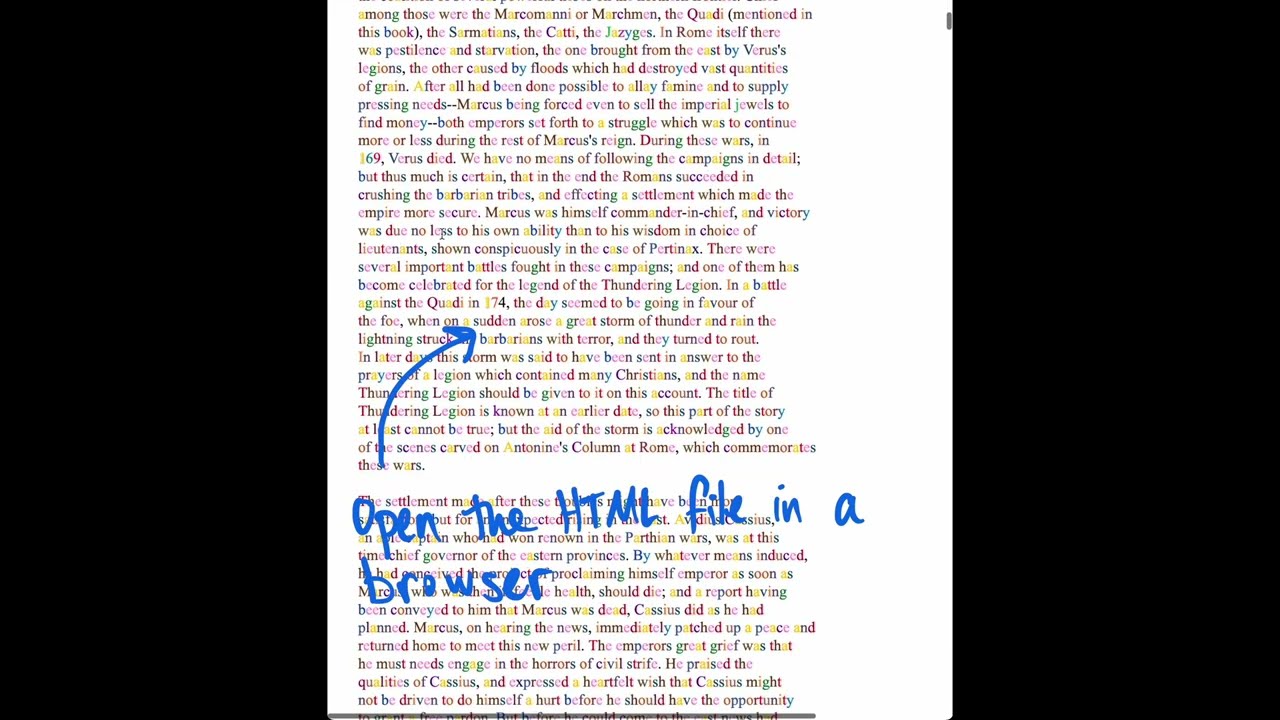
I’ll add the ability to add custom colors and download as HTML and PDF when I have time. In the meantime you can customize the colors by editing the CSS in the tool’s output.
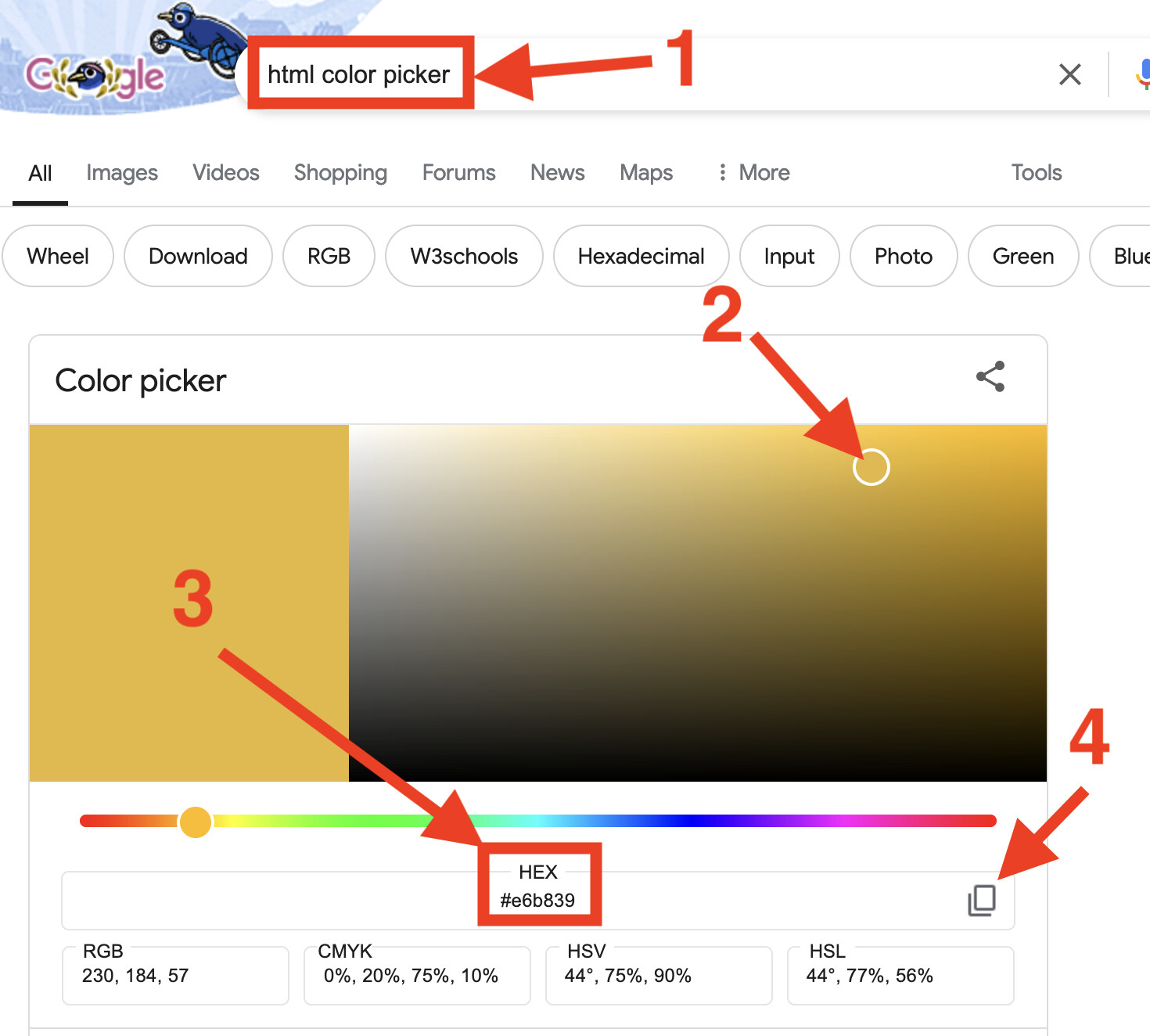
Even if you don’t know CSS, it should be pretty easy. Look for the section where each letter and number is mapped to a color code like #008080. To pick new colors,
- Type “html color picker” into Google.
- Choose your color with the picker.
- Look for the HEX code.
- Copy the hex code and paste it into the file next to the letter that should have that color.
Look for this section in the output. Each letter has one hex color code next to it. Just replace the hex color code to override the defaults with your custom colors.
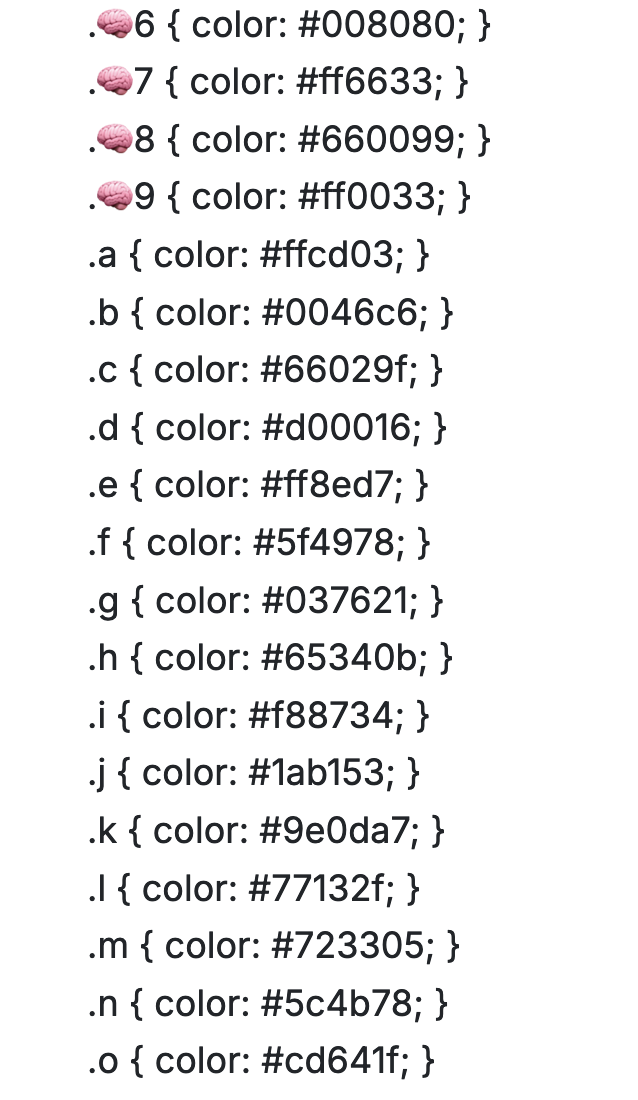
Tip: it might be easier to read if vowels have lighter colors (as opposed to consonants having lighter colors). It’s easier to read text that is missing vowels than text that is missing consonants.
Background reading on the ideas behind the tool:
- Synesthesia Training Program
- Study: synesthesia training raised IQ test results by 12 points
- Study: synesthesia can be learned
Find free ebooks to colorize here:
Leave a comment below if you have trouble using it and want assistance converting some text.