That egg with appendages put a funny Humpty Dumpty type image in my head that stuck; definitely seems like a fat strat. I’m kind of like you where, for my projections, I try to make it amusing. It’s kind of like a rap lyric or a cool meme; if it makes me heehaw, it most definitely gets remembered.
I use PAO for letters pairings, but I was curious of how I could apply it to numbers; I’m going to try this method at your suggestion. Appreciate the passing along of your expertise brother!
Erol, I know what you’re saying about recognizing faces. For example, when I first learned about PAO I thought it would be cool to have two of my favorite authors as my persons, but when I thought about it they were just two white guys who weren’t distinctive enough.
Thats why I settled on using a lot of people from fiction who have unique overall appearance. It’s easy to tell the difference between Batman, Superman, Wonder Woman, Spider-Man, a Balrog, Jean Luc Picard, and so on.
I’m waiting for you to reveal your whole system because, I think, in addition to working well for memorizing for an adult, it can also be taught at an earlier age. For now, I’m going to start my oldest (almost six) on single digit numbers (1= baseball bat, 2= swan, etc.) then in a few years (or no later than 11-12 years old) maybe he will be ready to learn your Shaper System
I agree. As long they are like heros, you don’t even have to recognise the face, the clothing will just be enough to recognize them, and it will work well for people who want to use Persons.
This is where as mentioned before the shaper images works very well also. So It can certainly be used as a PA, and PAO. In fact I have 10 unique hero characters I have created for the children version. pls read below.
Thank you. You actually hit the nail on the head with it. I have “Already” created the children version of it! All the drawing are done in a Person Action Object form. I have also taken the time to Animate the PAO “Already”. It’s ready to be used as an App that I have programmed myself.
It has a total 100 Clue-Shape images ready and easy to memorise as a 2 digit, but as I said, I also programmed and animated it so it also does the action before the final image is shown. It will also load the Memory palace backgrounds, so they don’t even have to find any palace, which are all chosen by logic, such as bedroom wakeup, bathroom wash face, kitchen for breakfast etc.
I have also created an animated Tutorial for the Times Table, this is where I first teach how to use the app, and they click to see the animation, and memorise it in seconds using the app.
The children version is ready. It’s full of fun and joy. I just have not created the video tutorials for them yet as the preparation of them is taking so long because I want to do a good job.
The project I am also working on is the adult version of the shaper system which does not involve persons as mentioned before. But this one has knives and spear attacking etc as actions, so it doesn’t suit the children version, It will also have it’s own app they can use after watching the tutorials.
I didn’t really want to mention this until it’s almost ready, because as you know things can go wrong and orm can take longer. So I was keeping to myself for now, but now you mentioned it, I just had the need to talk about it.
I really don’t know how long it will take for the video course to be ready, however I do work on the preparations everyday doing at least something towards completing it.
Erol, one question: let’s say someone really feels that a number is a different image than the one you provided. Will the app allow you to substitute something else in it’s place?
I remember in one of the videos of Tony Buzan, he was asked how early the children should learn mind-mapping. His answer was as early as possible.
I’m not an expert in it, however, with the way I have created it, the children as early as 5 year old and upwards can learn it in my own opinion. Even the adults will enjoy and learn from it.
For the adult version, I would say from 12 year and upwards to any age would probably suit it.
Yes! There is a folder for the “images”, the app will load the images from the images folder into the stage on the loci of the palace. So the image can be changed to your own, as long as the width and height are saved as the same the other images. Also as long as it’s saved as transparent png, so it has no background.
I have already created this. However, this is not in the children version, because that one is basically all drawings based, so it’s kind of like a cartoon. With the full system, it has proper real images as in photos, which are all matched to the shapes, and edited in a png format so they in transparent background. It will then show it on the loci. The palace rooms are also loaded from the palace folder, so it would load the palace first, and then the digits are matched with either PA or OA.
Only issue is; both apps are Desktop apps, it won’t work on a mobile. It’s designed for PC use.
I also like your system very much but I am not using it in memory league , I used it on facts (if some numbers are there)
And other works like study materials.
Excellent, powerful and effective system, and I am waiting for your videos to start with a complete understanding of the system on your site or on this platform
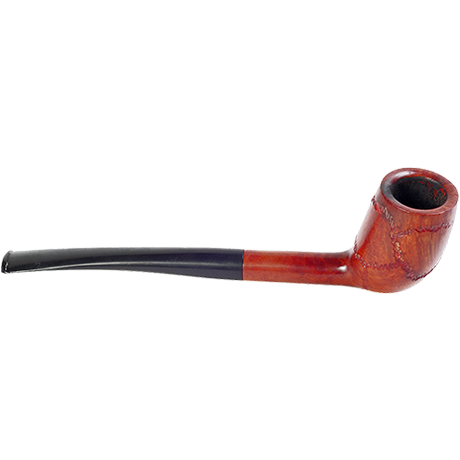
3 is the lips, and on the lips is the Pipe which is the shape of 6.
Now if you can remember the cartoon “Popeye”, he smokes a Pipe, and when he does, he pumps the smoke out of the pipe a few times.
So with 36 it’s the same. What I do is to use the Pipe only, and any image that comes after the Pipe 36, the Pipe then is pumping out the next image a few times which is coming out of the Pipe’s hole.
So let’s say we have 36 & 00
A Huge Pipe is Pumping Out Eggs one after another. Here there is also an optional sound of pumping out which is the same as the cartoon Popeye.
Revealing another link method; This is what I call “The Escape Method” as one of the 10 Methods I use.
With the Escape Method, it has different actions but the same principle.
So after the first image, whatever the image it is, it would be coming out of the first image in multiples. This action angle depends on what image was first, but the principle of the Escape Method is the same.
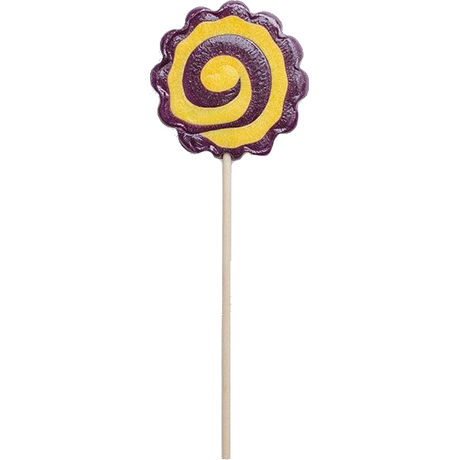
You are right about 39, at first I used a party whistle, because it has the same curl as that. Now it’s changed and I have “Lollipop” as the new Permanent image.
So as you can see from the image, the lollie has a nice shape of 9, and also notice it has a chocolate shaped as 9 also, it’s a perfect image for 9. A lollipop which goes into the mouth between the lips, so 3 9 , gives me the images of lollipop, which fits perfectly as 39.
I can explain every single image and the logic behind each of them, however it would take 100s of pages. So this is why I thought of doing a course, and writing a book about this.
Let me also say I have a folder for every single shape images that is made from the number shapes which are the triggers for the images. This is also where I will be showing how the whole thing are created which is easy to see almost instantly when I explain it.
So I have a folder with 100 drawing images which are the trigger shapes images. I also have another folder with another 100 images that are real photos which represent every shape. These are specially cut in png format professionally. Once you know what each number represent, we see the real photos, and these become the moving images with the paired link methods I have used which created the actions for each image. So I already do have all images, and it’s a ready in a box system that is just waiting to be released. I have spent over a year on this and still working on presenting it with a book and a video course.
I have had a lot of private messages from the forum members, people contacting me on facebook, contacting me from my paolist website, and all are asking for these images. I am so happy that there are so many people who show interest, and I also was told from a person in facebook, a lot of people are already using this system even tho I have not yet fully explained how it really works.
I am working on a book, and a video course/s which will provide every single image, shapes, actions with all the paired link methods, memory palace, and all the applications as to where they can all be used.
I’ve also prepared “the shaper memory palace” with 100 background scenes which is specifically chosen for this system as I have 2 different methods of using this too which is so handy to not only to practice numbers etc, but also can be used as a fast memory palace on the fly which is also a kind of an “Expanding” memory palace.
It would take more than 100 pages to explain how everything works, so I thought it would be easier and better to write a book, and do a video course/s on this, one of which is the children version, and the other is the full shaper system that once learned all the images, you are basically ready to memorise numbers, cards, images, words, and even names & faces, because the method is the same that can be applied to all. I will also cover a detailed method of how these images can be vividly imagined and seen as real.
I am looking forward to creating this product and introducing the system to everyone who take interest in training their memory with a ready to use shaper system.
According to my 5 year old, a 1 is a crowbar and 0 is a black hole. I hadn’t seen those mentioned yet. He didn’t like a candle or baseball bat for 1 because a 1 has a little slash at the top. Thats why it’s a crowbar.
Children are very creative themselves. And I think once we give them the basics, they’ll then be even more creative.
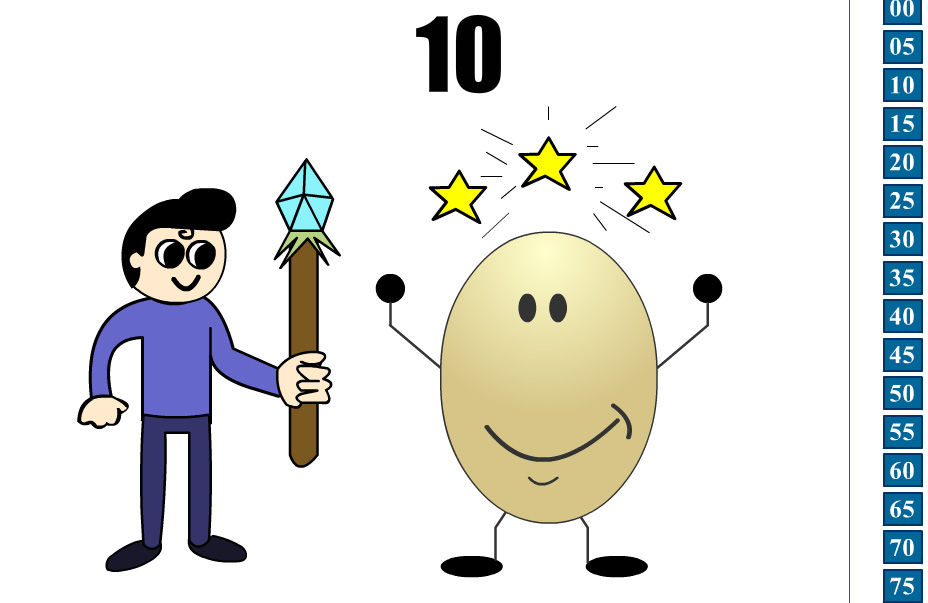
Here is a sample of the desktop app which creates with an animation all the images. This one is number 10, The boy has a Magic Wand which represent the digit “1”, he then makes magic and magically creates the egg which is “0”, the whole animation produces the digits as “10”. The animations creates all the digits from 00-99. This is just the sample of the children version I have programmed, designed and animated with all 100 combinations.
Get him to have a look at it and see what feedback he’d give
Notice also, “Give It A Life” method is used on the Egg itself with arms and legs, which makes it more interesting and more fun.
Another method is also used is the “Clue-Shape” method
Basically what this means is that the “Stars” are the clue-shape which only appears if a Magic-Wand is used, so they don’t even have to see the animation, or the Magic Wand anymore, because the “Stars” which is above the Egg object suggests a clue that the first digit is “1”.
Each of those 100 combination has animations. But each 2 digit combo also has a Clue-Shape which indicates what the first digit was. So for those who want to memorise it quicker, the Clue-Shape method will make them think faster and memorise faster also. All is well thought and all is ready to be released. However, I have to prepare the video lessons so they know exactly how it works. I am still working on them.
Erol, I asked him about the 10 above and he didn’t quite get it yet. I only started on number shapes the other day though, and we haven’t even gone through all the single digit numbers yet, so the concept is still super new to him. I’ll revisit it after he fully understands all the single digit numbers.
This is why it needs the training to understand exactly how and why it works.
Let me give you the same example;
See the boy with the Magic Wand. The magic wand, regardless of who has it in their hand represent the digit as “1”. Because simply the Magic Wand in my shaper system for the children version is Magic Wand.
Next is the action;
The boy is first on his own holding the Magic Wand. This immediately gives you the first digit, “1”
Now the action is “Tapping the Magic Wand In The Air”,
And soon as he does, The next Object appears from being blurred into a clear image, in this case it’s an Egg.
So at any time if the boy is Holding a Magic Wand, the action is the same, but the object could be any object from 0-9.
The extra method added as the Clue-shape, for faster memorising.
With the Clue-Shape Method, each object that appears magically, has “Stars” above it, this also is the clue that the first digit must be “1”. Simply because no other object will have any Stars above it, so it is a unique identifier for the previous digit. So when they want to get faster in memorising, they do not have to see the boy and the magic wand, or the animations anymore, all they see is the “Egg” with the “Stars” above.
As mentioned I have animated every single action all with its clues, and shape images, and it’s all done for 100 combo for the children version.
I just have not started on the videos for the course. Because I have not just done the animations, I am also showing how these can be used with different applications. And it’s all fun fun fun
I am just so busy with my responsibilities, and in the meantime, I am working towards completing 2 different courses doing at least something every single day, so that when the children version is out, they don’t have to wait for the adult version of the shaper course. I then have to create the webpage and introduce this, and add videos to a secure platform etc.
I am working so hard for these, and hopefully will be released as soon it is possible. It’ll be a big achievement for me also and really look forward to it.
With the children version, they are different then the full version. Simply because the shaper images has some violence in it, and the children version does not.
Here are the images for the children version I used in the app, and in the course.
0 - Egg
1 - Wand
2 - Swan (And Bread as secondary, which is explained in the course)
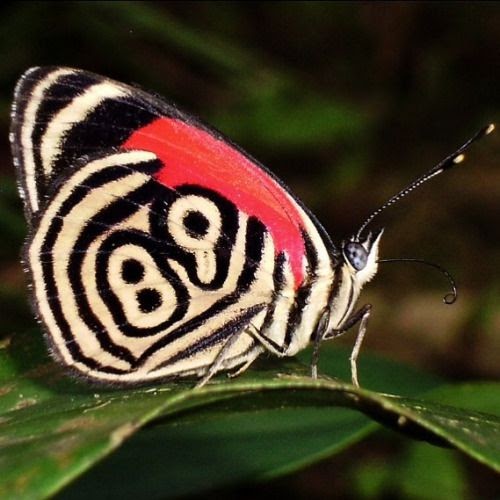
3 - Butterfly
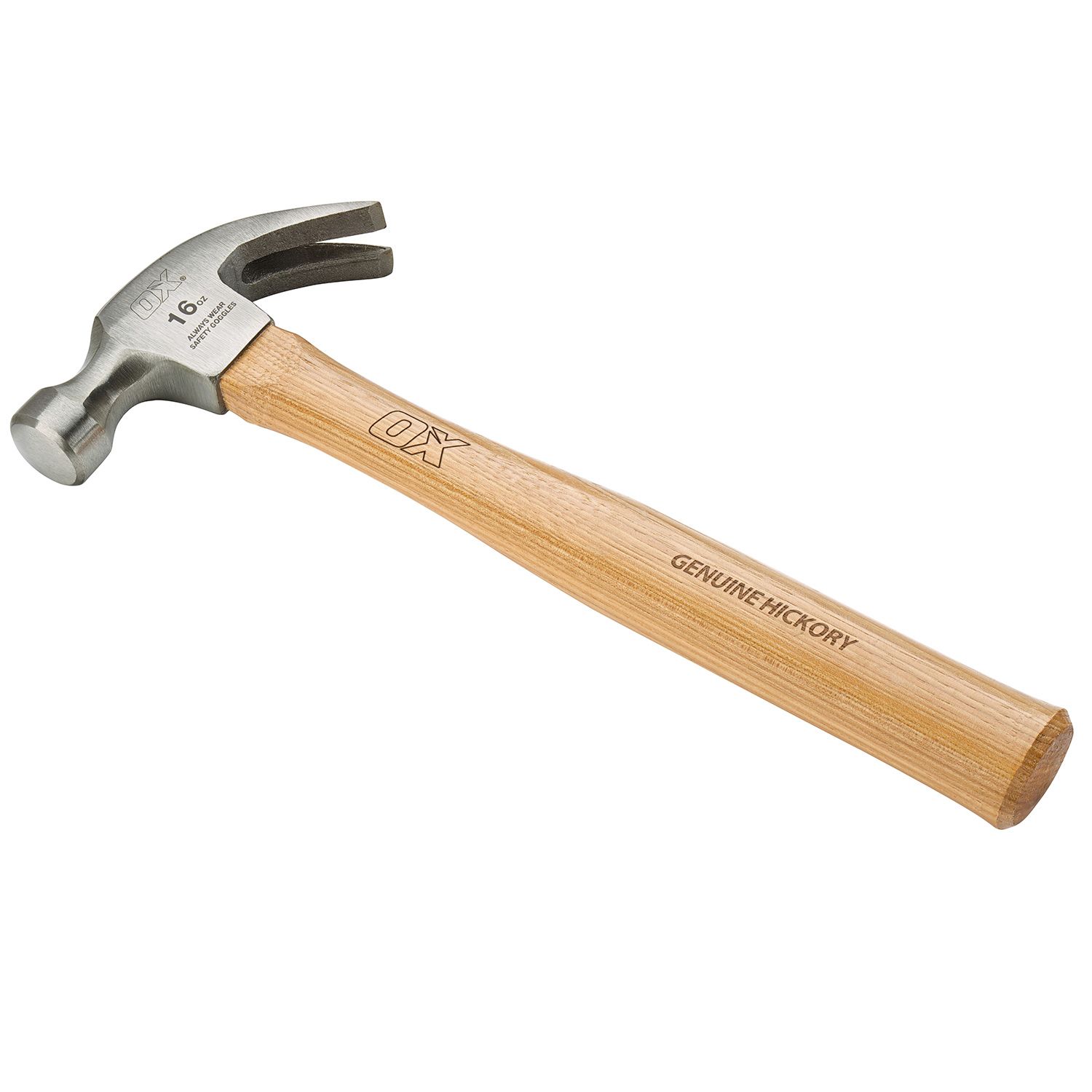
4 - Chair
5 - Unicycle
6 - Golf Club
7 - Boomerang
8 - Snowman (Broom as Secondary, explained in the video)
9 - Balloon
I also have Unique action for each, and a unique clue for each, and end result for each combo. All done. But for now, these are the ones used in the children version. There is no violence, and a lot of fun actions.











 .
.