We talked about Vim in another thread, and Emacs has been mentioned a fewtimes.
I’ve been experimenting with Org Mode for a while. It’s an extension for Emacs (a programming editor) that is very convoluted and interesting. My goal is to pull my notes out of Google Docs, Dropbox, Evernote, Trello, and all the other programs I’ve tried and put them in Org Mode. Has anyone else here used it (or similar productivity systems)?
So far, I like it.
Everything is stored as plain text, so my notes aren’t tied to Emacs or any other software. The notes can be kept in version control (e.g., Git) and/or synced with something like Dropbox.
I’m using it too. There is also an SRS extension : drill-mode, that can be used for flash cards (including cloze deletion, multi-sided cards, etc.) but I don’t used it.
The feature I use the most is the tables. Just for that, I can’t do without emacs/org-mode.
The calendar is very useful too.
And you can also export the notes to html/markdown/pdf/…
Oh, and I use that for my bookmarks too (with org-protocole).
Anyway, I’m a huge fan, and all my notes are kept in org-mode, synced with git.
Thanks for the links. I’m usually a Vim user, but I’m using Spacemacs to handle org mode. Are there any other Emacs packages I should check out?
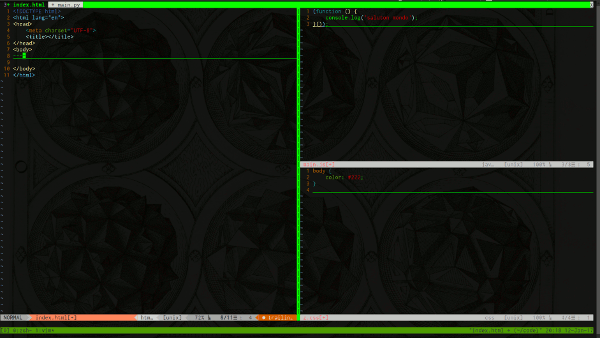
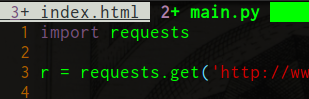
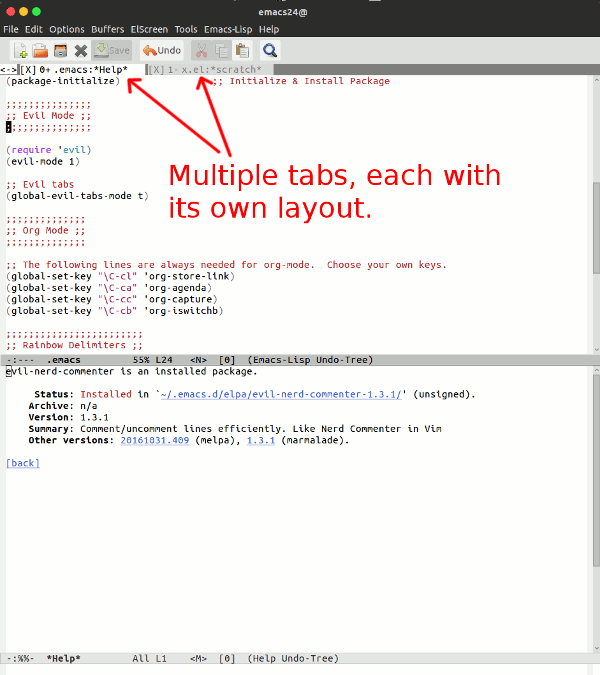
I would switch to Spacemacs entirely, but I don’t know how to function without tabs, and I couldn’t find any way to do that in Emacs. In Vim you can have layouts of buffers (as “windows” in Emacs) like this example which has an HTML file, CSS file, and JS file in one tab view:
At the top there are tabs like this which let you switch between layouts of buffer windows:
In that screenshot, I have frontend files (HTML, CSS, JS) in one tab and backend (Python) in another tab. Switching between tabs/layouts is a quick keyboard command (gt or gT).
I would like to use Emacs more, but that’s the main reason I haven’t switched to it when programming. Maybe there is a way to use multiple arrangements of buffers in Emacs (or an entirely different workflow), but I haven’t figured it out yet.
However, what I do for a similar behavior (I am using vanilla emacs, not spacemacs, so keys are probably differents, but using C-h f (describe-function) thename-of-the-function, you should have the right shortcut):
split the frame in several buffers, using C-x 4 f (find-file-other-window), C-x 4 b (switch-to-buffer-other-window) or just C-x 3 (split-window-below), C-x 2 (split-window-below)
store the configuration into a register with C-x r w (window-configuration-to-register) +a letter/number
then, you undo the splitting, open some other files/buffers
to go back to your config: C-x r j (jump-to-register) + the register letter/number
You could also use different frames and navigate through these frames :
C-x 5 f (find-file-other-frame) to open a new frame
M-x set-frame-name, to give it a name
M-x select-frame-by-name, to navigate between the frames.
There is also C-x r f to store a frameset, and C-x r j to jump to it.
Thanks – I’ll check those out. I’m mostly writing Python, JS, PHP, HTML, CSS, etc. at the moment.
I have Evil installed, and Spacemacs comes with some of those, I think. There is a .spacemacs file, where you can add new packages to install, something like this:
dotspacemacs-configuration-layers
  '(
    ;; ----------------------------------------------------------------
    ;; Example of useful layers you may want to use right away.
    ;; Uncomment some layer names and press  (Vim style) or
    ;;  (Emacs style) to install them.
    ;; ----------------------------------------------------------------
    auto-completion
    better-defaults
    emacs-lisp
    git
    xkcd
    shell
    markdown
    ;; etc...
  )
I was thinking that I would learn Emacs through Spacemacs (which is configured for Vim users) and then switch over to plain Emacs + Evil…
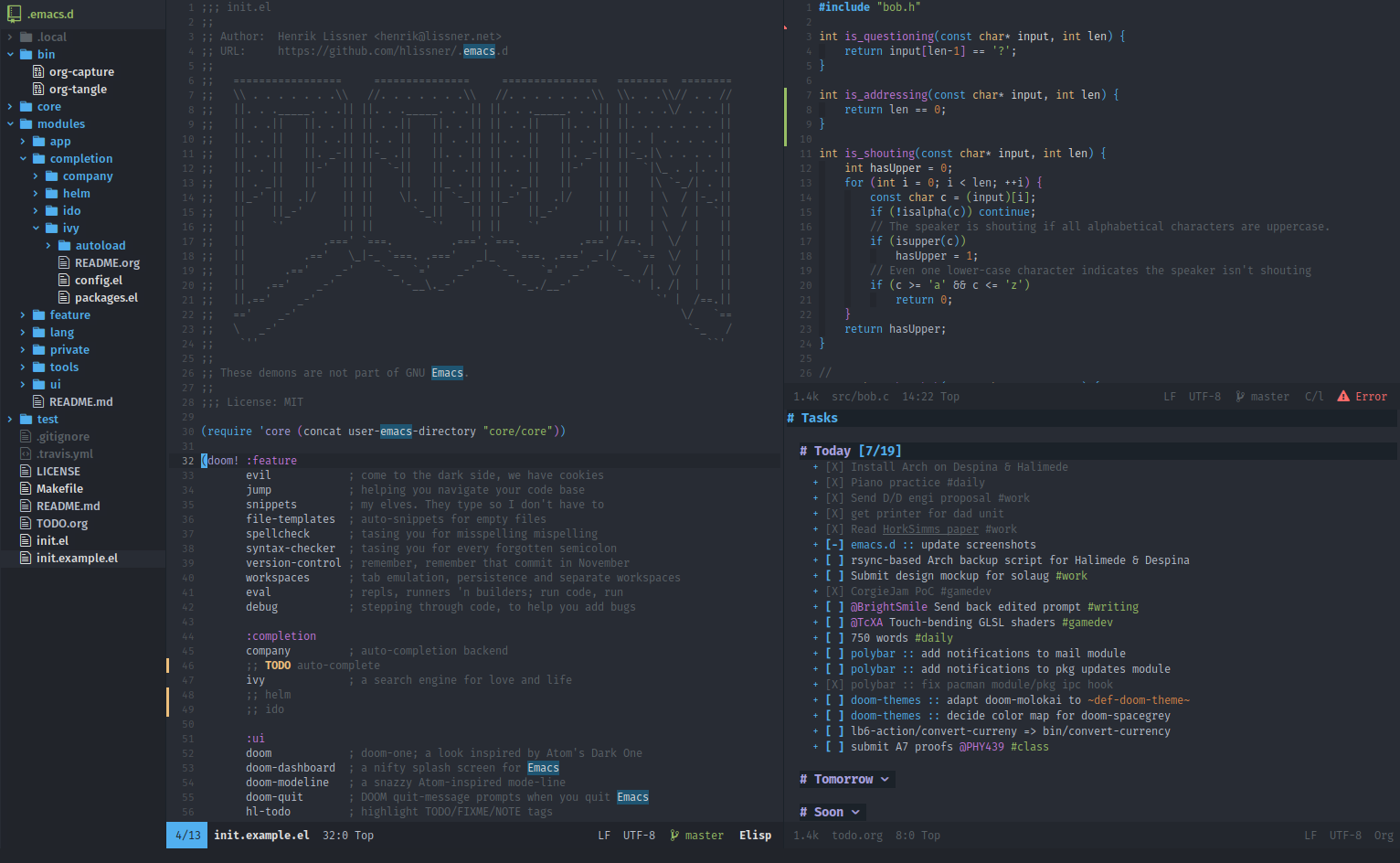
Here’s another Emacs configuration called Doom that someone told me about. I only tried it briefly before going back to my custom Emacs config, because I couldn’t get my capture templates working quickly and didn’t have time to look more closely.
I use Emacs with Evil Spacemacs and Ivy.
“Ivy” is for navigating files and buffers, it is much faster than using tabs.
Org-mode “agenda view” is good for keeping track of todo lists.
Magit is a nice Emacs interface to git.
It looks interesting. I think I’m too used to tabs to switch to another system at this point though.
I use a vim plugin called denite that lets me fuzzy search for files in a project by name with ctrl-p or for open buffers with space-s – maybe it’s similar to Ivy?
I think if I didn’t have tabs, I wouldn’t know the spatial position of everything and would have to mentally keep track of what was open. I like my tabs system, because most parts of the desktop UI work in similar ways (vim, tmux, modified i3wm). Everything is keyboard controlled and doesn’t need the mouse, so it’s pretty fast.
Ivy is better than fuzzy.
Ivy lists file names with paths.
The directory paths provide a kind of spacial positioning.
To narrow the list of files, type path fragments in order, delineated by space
For example, to open “path/to/file_name.org”, type:
pa file na
I usually don’t have to type that much of the path, but you get the idea.
Tabs are OK for a few files, but it doesn’t work so well with more files.
In vim, I always managed buffer lists. Emacs also has a buffer list, but I almost never use it, I just open the files with Ivy.
Denite works the same way – maybe the feature was copied from Emacs.
I think I’m using something called helm-mini to get similar functionality in Emacs.
In most editors, a tab is just a single file. Vim’s tabs are more like “arrangements of splits”. So I might have frontend code in tab 1 (HTML, CSS, and a JS file), and backend code in tab 2 (maybe two Python files, or whatever). I wouldn’t have to disturb the layout of files A, B, and C to switch to the layout for files D and E. To switch between the layouts, gt (right) or gT (left), or something like 3gt (to move 3 tabs to the right).
 tab #1                    tab #2
 +----------+---------+    +----------+---------+
 |          |    B    |    |          |         |
 |          |         |    |          |         |
 |    A     +---------+    |    D     |    E    |
 |          |    C    |    |          |         |
 |          |         |    |          |         |
 +----------+---------+    +----------+---------+
My whole desktop works in a similar way with splits and tabs. Using i3wm, I have two layers of 10 virtual desktops that can be accessed with alt-num (layer 1) or ctrl-alt-num (layer 2).
Each desktop then has tiles and tabs, kind of like how my vim is setup.
Within each virtual desktop are tiles (splits) and tabs of GUI applications and terminals. (The virtual desktops are the layouts here. The i3 tabs just squeeze extra applications into a single virtual desktop, even in tiling mode.)
Within each terminal there are splits and layers (tabs/layouts) of tmux panes and sessions.
Within tmux panes there are splits and tabs (layouts) of vim.
I tried learning the Emacs way a few times, but it looked like it was going to take a long time to adjust, and this system works well for me.
It looks like there are some ways to save layouts here. Evil-tabs + helm works for me for now when using Org Mode, but I’ll check out Ivy at some point.
My thoughts after using Org Mode for more than two years:
I really like Org Mode, but the only things I really use it for for are taking notes and capture templates. (Capture templates let you define keybindings to capture different kinds of notes and send them to specific destinations in the filesystem.)
Lately, I’ve been thinking that I might be able to do all of that in [neo]vim along with command line tools.
My main frustration with Emacs is that Emacs’ vim emulation (Evil Mode) doesn’t always work consistently across all buffers. It’s also hard for me to keep the configurations in sync. Example: space-b in my Vim closes a buffer, and space-b in my Emacs opens up a list of recent buffers. The two programs have slightly different behavior, and I think it’s harder to switch back and forth than to just pick one.
(Either program is a good choice – I would recommend them over other text editors for anyone whose brain enjoys processing symbols.)
Spreadsheets have more features for doing calculations, but I think that plain text has advantages for regular content, note-taking, or other documents. Emacs and Vim can do basic formulas in tables, but not to the extent of a full spreadsheet program.
I installed that table plugin in Vim, and it works well, so I’m going to start taking notes in Vim, using markdown format, instead of Org Mode. I’ll post an update if the new system works out.


 I have been playing with org-mode, it´s cool!!!