I got myself a paid $20 a month subscription to ChatGPT a few months ago and found it super useful for creating logically organized progression outlines for blog posts, legal proceedings, etc that I could flesh out myself.
So I found out that I can instruct ChatGPT to “render” images (the word render makes it more lifelike - if you say “Draw” you’ll get black and white line drawings).
So what I do is I tell ChatGPT to “render” an image and it does a fine job - BUT (BIG BUT) - if I make the request too complicated it will screw it up no matter how many time I clarify.
That’s why I write Maybe “not so quickly”
To fix that what I now do is I always ask for ONE main scene element in my Mnemonic, as the primary element to be memorized. From there I (you) have to create individual elements to the scenes you’re directing in your Mnemonic (memory palace station, aka “loci” etc) to gain the proper complexity to entirely encrypt what you need to memorize.
Here’s an example of a completed multiple step ChatGPT encryption rendering.
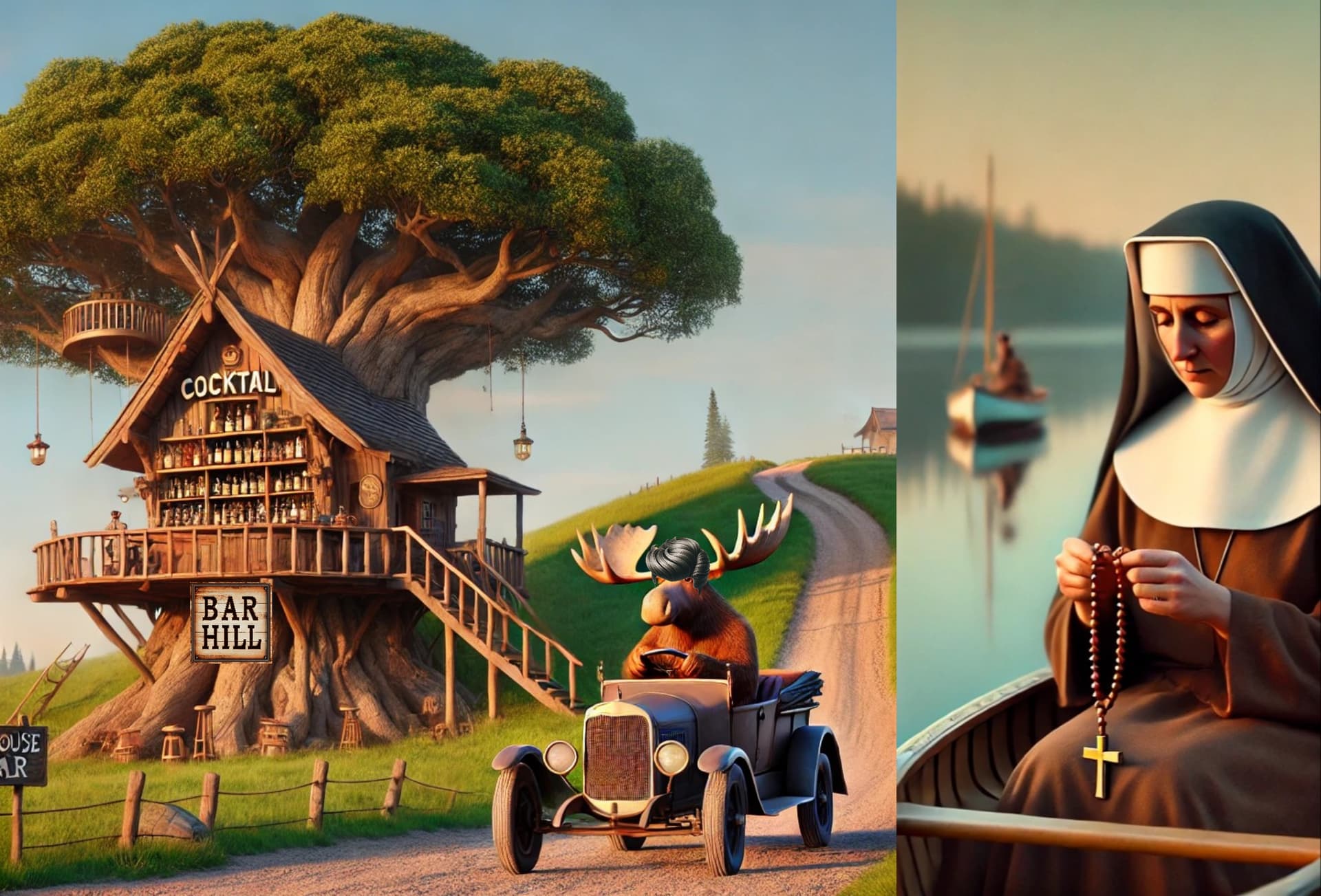
What you’re looking at is a ChatGPT multi-step process. The Nun in the canoe playing with her Rosary Beads is ONE separate image. The MOOSE and the Treehouse Bar are actually several different images combined - so total 4 ChatGPT renderings combined in 3 different apps (all done on my phone) to create this ONE drink recipe graphic… but FASTER than drawing it all out and with MORE DETAIL and ALMOST 3D realism! Yay! It’s so cool!
Here’s How:
I create the first image order: “Render” treehouse bar on a hill and a moose driving a Model T Ford to the bar. simple one thing - treehouse bar on a hill, moose driving a car. It SORT of did what I said (this was the best rendering - multiple tries)
THEN a new rendering of a sign that says “Bar Hill” (it’s a Vodka) on a clean white background.
THEN a new rendering for a Pompadour Toupee (on a clean white background) …THAT wasn’t easy - multiple attempts at a simple request - trust me.
BEFORE THIS - I had to draw these images by hand, in flat 2 dimensions, often flakey looking and hard to modify so I “settled” for what was acceptable.
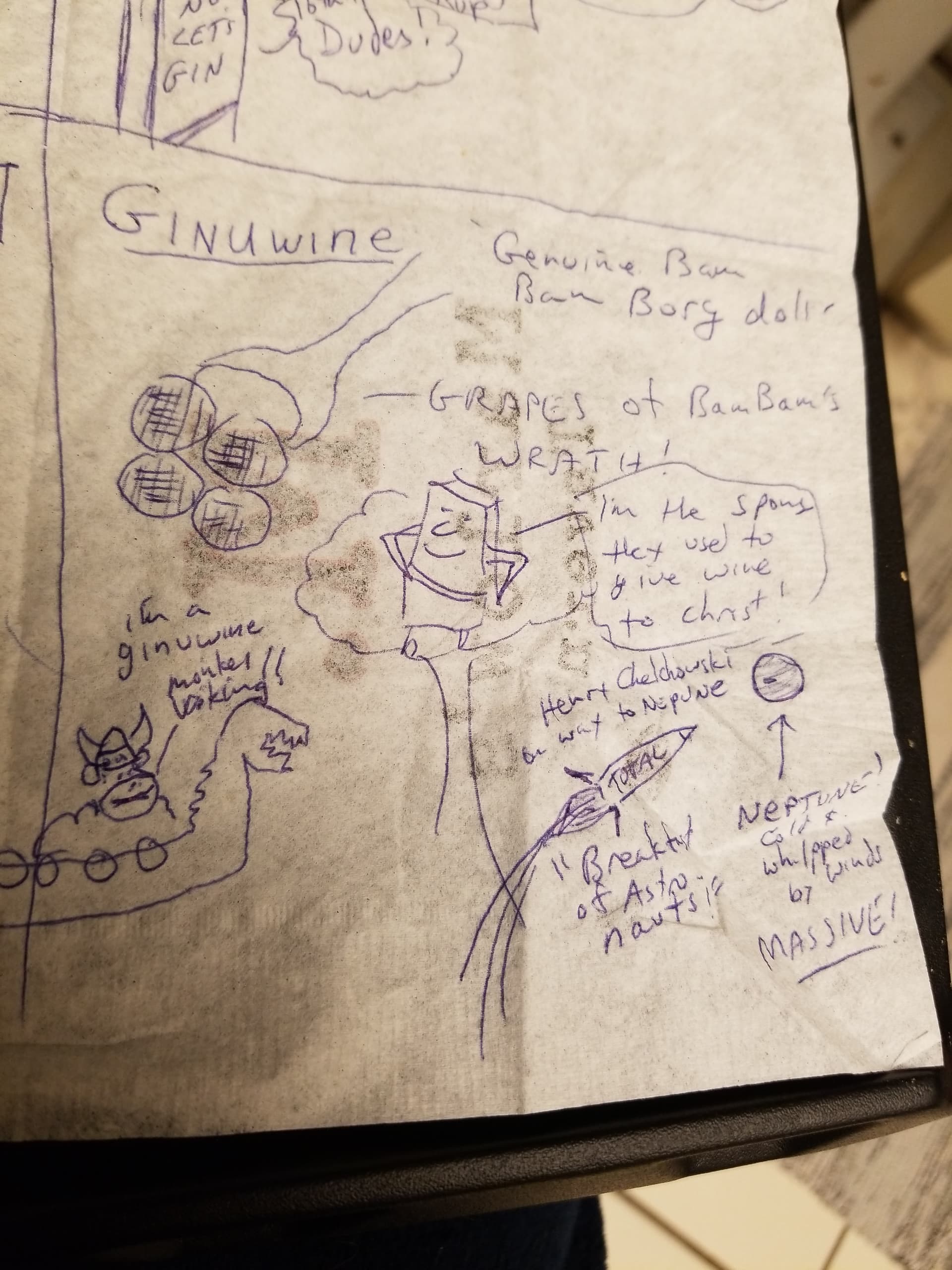
…which you can tell isn’t quite as vivid to recall in great detail.
I don’t think you need to subscribe to ChatGPT to use the “render” feature, it may be free, and I know that Elon Musk has already released GROK 2 which is SUPER PHOTO PERFECT image rendering capable (I have a subscription to that already but haven’t explored it fully)
BUT for everyone out there not using AI yet - For SPEED of Mnemonic encapsulation and encryption tasks - AI rendering is the KING.
EDIT - Addendum:
Most of us live on our phones today. They’re ultra powerful, ultra portable, awesomely functional mini-computers - and, with a Bluetooth keyboard and a stylus - they’re CRAZY powerful any-time, any-where MONSTERS of productivity.
That said (Mnemonics related) I use multiple apps in conjunction with the ChatGPT renderings.
The most useful is (Android) “Background Eraser” by handyCloset Inc. and handyCloset Inc.'s other app “PhotoLayers-Superimpose,Eraser”
I also use one that’s been just this month discontinued that’s called HandyPhoto - which will only run if I put up my firewall or go into airplane mode (since it can’t find the license any more, and won’t let me proceed if I’m connected to the internet).
My point though is that if You’re going to use ChatGPT rendering (or Elon Musk’s Grok/Grok 2 engines) you will want to speed things up and avoid frustrating time delays by editing the generated images yourself, “by hand” using apps you control directly, as I do. Good luck!