
1 Like
Thanks for letting me know. Can you take a screenshot of that section on this page?
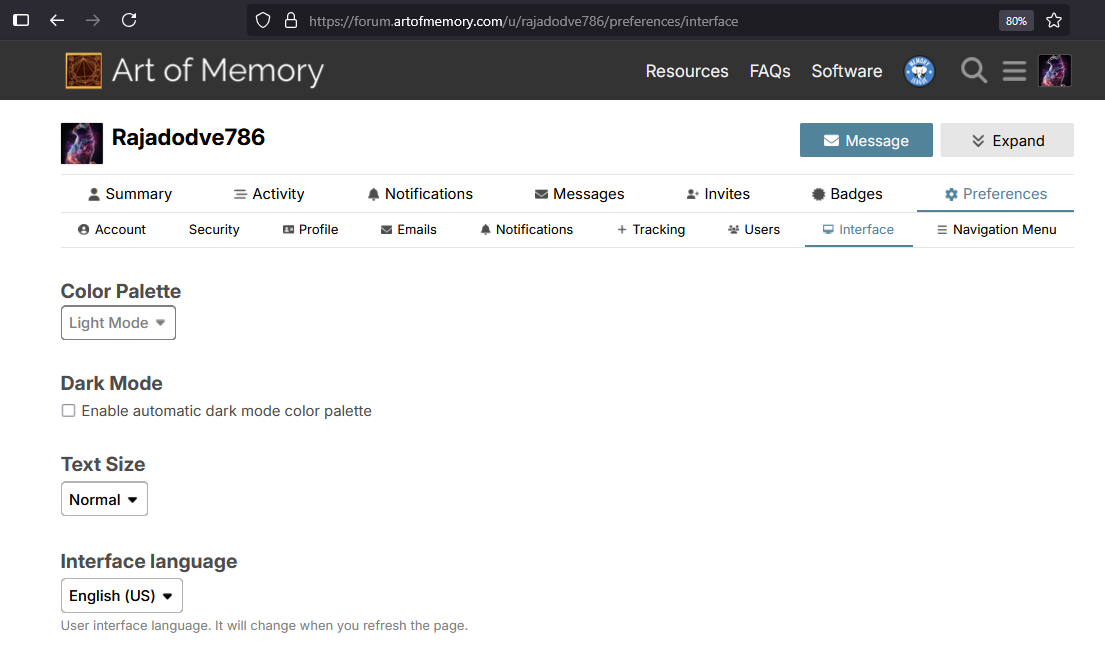
Thanks. If you close that tab and open the forum in a new tab does it show up?
If not, try clicking that checkbox for “Enable automatic dark mode color palette” and see if that does it.
Edit: also try this:
- Switch the color palette in your settings to the opposite value.
- Save the settings with the button at the bottom of the page.
- Reload the settings page.
- Switch the color palette back to the other value.
- Save the settings page again with the button.
- Reload the page.
I’m still working on the problem, but that might fix it on your user account.

this looks awesome. the search bar layout in the center is making is much better.

I clicked on automatic and saved still , on the new tab it’s looking same nothing changed.
1 Like
Thanks for checking. I’ll keep working on the problem.
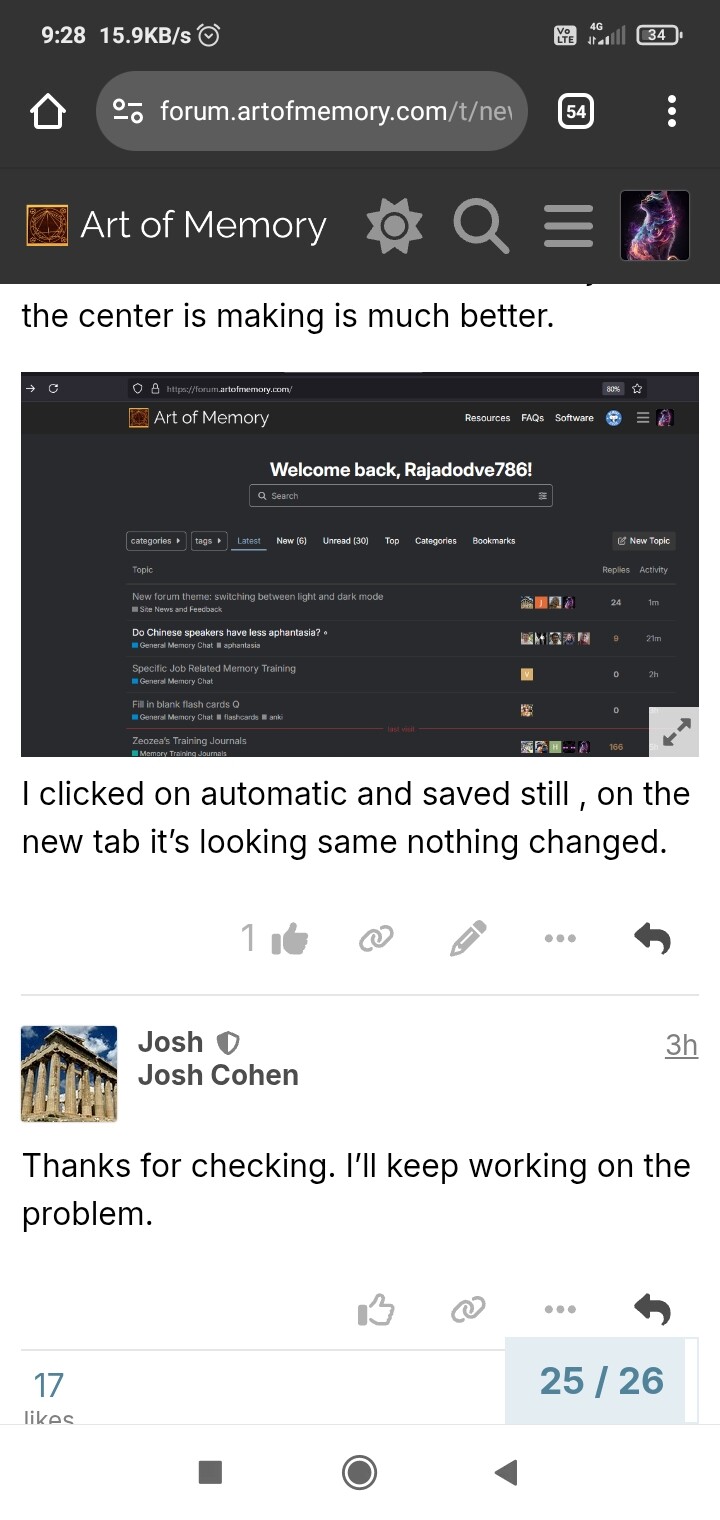
Does it appear on the computer if you open the forum in a new tab?


Update 1: this is still being worked on. The “color palettes” are now called “Memo Light” and “Memo Dark”, instead of “Light Mode” and “Dark Mode”.
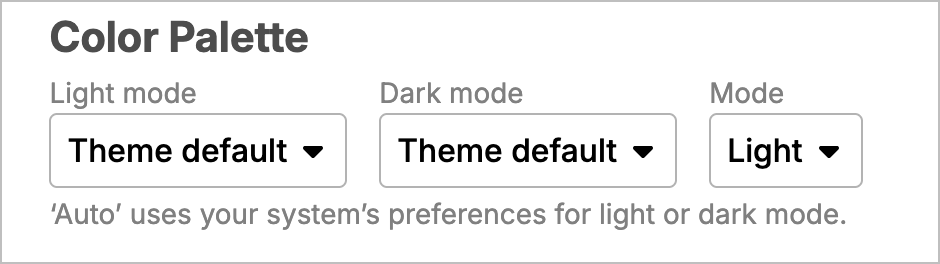
If anyone isn’t seeing the light/dark mode toggle, follow these steps, and let me know if it doesn’t work:
- Go to your settings page and set things like in the image below.
- Then scroll to the bottom of that page and click the save button.
- Reload the forum in the browser tab.
- Then choose your light/dark mode preference with the icon in the navigation bar on the top of the page.
Update 2: The Color Palette feature was simplified, so if you make the settings look like this, the theme switcher in the top navbar should work correctly.
1 Like
I updated the post above with the final settings. Everything should be working now.
1 Like