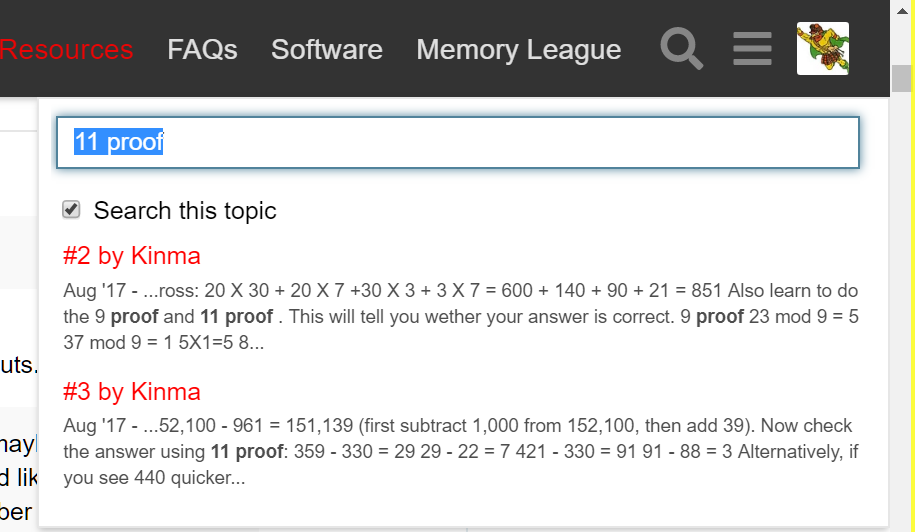
It’s a tricky problem due to the nature of the way the forum posts load. I also found it a bit strange at first, but came up with a workaround (see the “How to Fix” section below).
The technical reason
Because a page/thread can contain an unlimited number of posts, the posts don’t load until you scroll down, and when you scroll down, the posts above are removed from the top of page to save memory. Even if a desktop computer can handle that much load, mobile browsers can’t.
Since not all of the content of a page is rendered at once, the browser’s search box won’t always find content on the page, even if it’s in that thread and you just saw that text on your screen a moment ago before scrolling down.
Here’s an example:
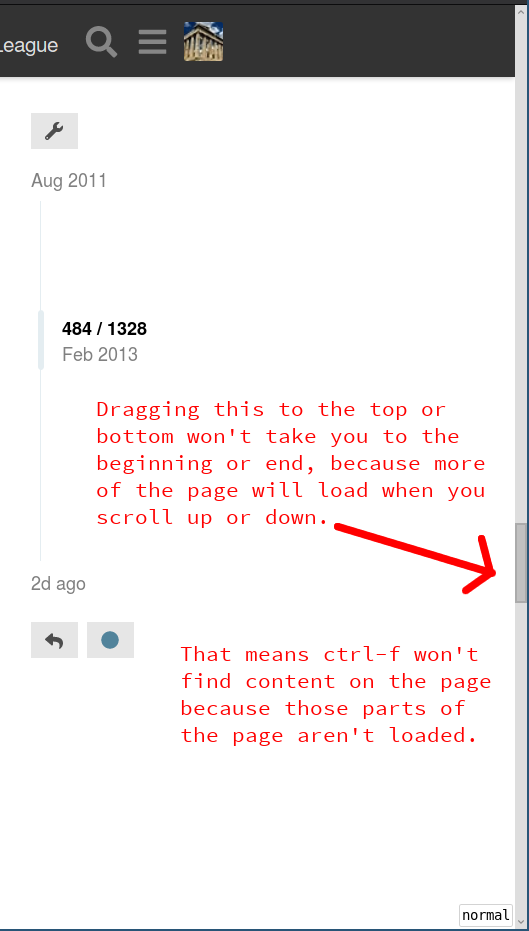
In the speed card times thread, there are over 1,300 posts, and they all appear on the same page. When you first open the thread, it won’t load all 1,300+ posts, because it would be too heavy of a load for the browser. Keep an eye on the browser’s scrollbar as you drag it around:
So if you search with the browser’s search box it won’t be able to search through all of the text on the current “page”.
(This forum is actually something like a cross between a website and an app. You can install it on your phone by opening it in a browser and clicking the “add to home screen” button. On Android, the option should be next to the address bar. On iPhones, that option might be hidden inside of the “share” menu.)
Standard keybindings
ctrl-f is a common convention for “find” with some operating systems and programs, but it isn’t standard across browsers or computers. (W3C standards apply more to the data that is sent over the network than the user interface of the browser itself.)
Examples: on Mac, the default keybinding for searching (including Google Chrome) is command-f. In many programs the default is a / (a slash, also works in browsers), ctrl-g (works in browsers, at least on Linux), or ctrl-s (Emacs style). In unix-based operating systems, ctrl-f moves the character forward one space. In Microsoft Outlook, I think ctrl-f forwards emails instead of searching. In some programs, ctrl-f scrolls forward by one page (Vim style).
Why it only happens on some pages
If you don’t see the override on certain pages, it’s probably due to what part of the browser has focus. If you’re focused on the page itself (by clicking it), the site’s search box will open. If the mouse pointer is focused in the browser’s address bar (or some other part of the browser), then it will use the browser’s built-in search box.
How to fix it
A workaround that I use to get to the browser’s search box is to hit ctrl-l (lowercase “L”) to move the focus to the address bar and then ctrl-f. Another way to bypass it is to use ctrl-g.
If that solution doesn’t work for you, I could figure out a way that you could override it using a browser extension, but if you do regularly bypass it by using the browser’s search box, remember that the browser might not find the text, even if it’s “on that page” just a few posts away from your current viewing position.