Recently I made my first physical memory device after reading on to Lynne Kelly Memory Craft and The knowledge gene, and how the lukasa and similar devices are recurrent technologies/tools for memory.
There’s a lot of space for creativity in how you make your device and I chose a few guidelines for how I was envisioning it to use it
- It can be held in one hand, being able to rotate it freely and explore it.
- The stuff glued on to the board needs variety, specially textures.
- Objects maximum 2 cm on their largest size
The result
I gathered the different materials I had lying around and a piece of hardwood that I cut from a larger stick. For gluing I used CA glue (superglue), ca glue + sodium bicarbonate and epoxy glue.
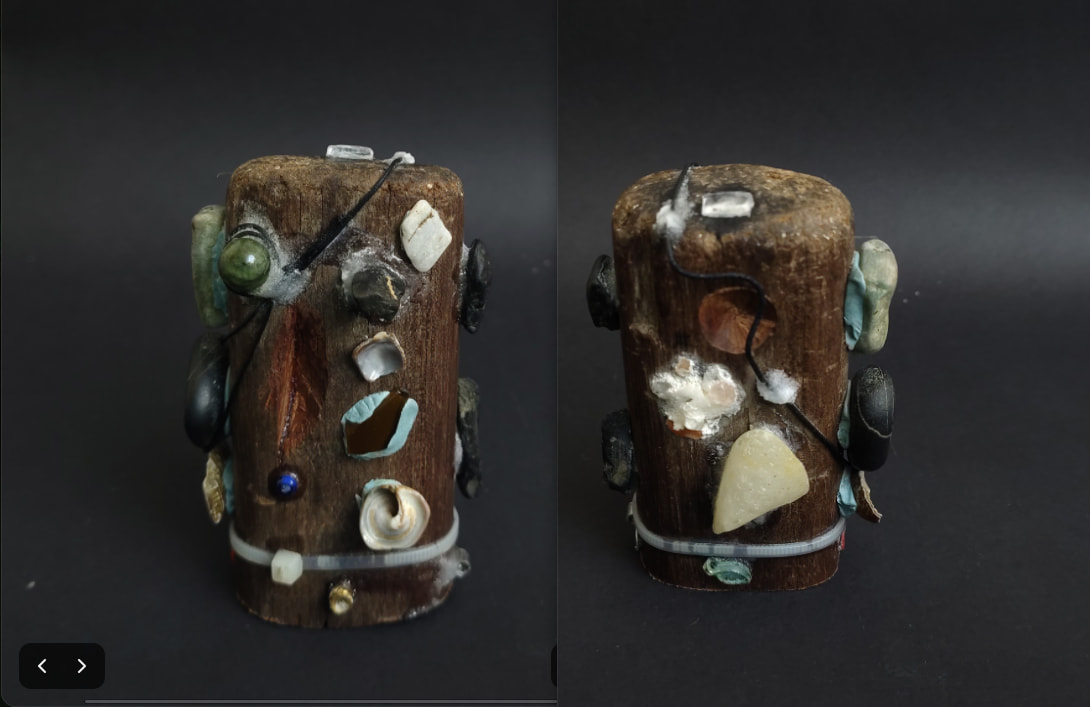
Then I started exploring the locations that felt natural for my fingers to rest and so on. Later I decided to encode the ‘mood meter’ which is a tool that had been of some use but I had to constantly go back and watch the table in a paper
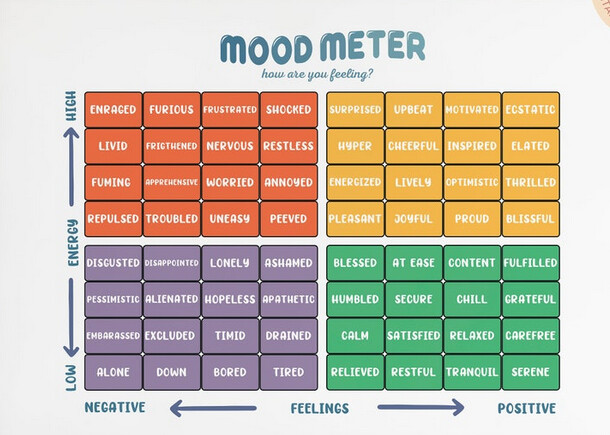
Encoding the information
On my previous exploration on the device I found natural to do ‘holds’ with my five fingers. On any given hold each finger is touching a specific location, sometimes adding gestures in the way I touch it. All this was making the barrier to entry a lot more easier for me and recalling is working great.
I decided to number my fingers the same way for piano fingering, and started making different ‘routes’ around the device each hold contains a row of 5 data points.
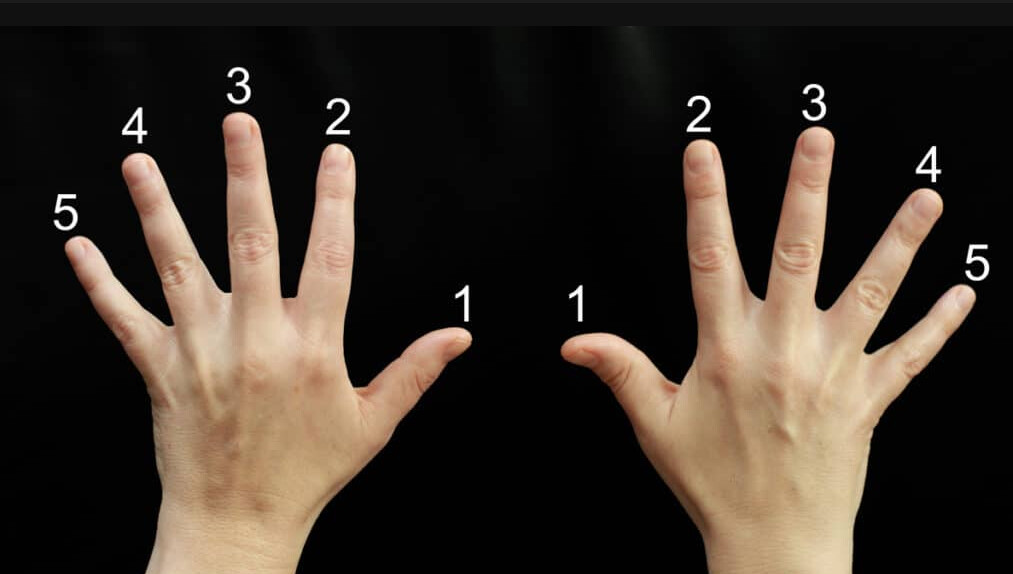
For the actual encoding I am using characters, persons more than anything doing something in each location or spot, also adding a gesture in the way I touch the thing for the tactile feedback it gives. This also adds on to the muscular memory part because then you can do all the route without seeing the device, the same way you could write on a keyboard without seeing it.
Adding features
This is the part where I try to explain some ideas that I don’t know if they make sense after all.
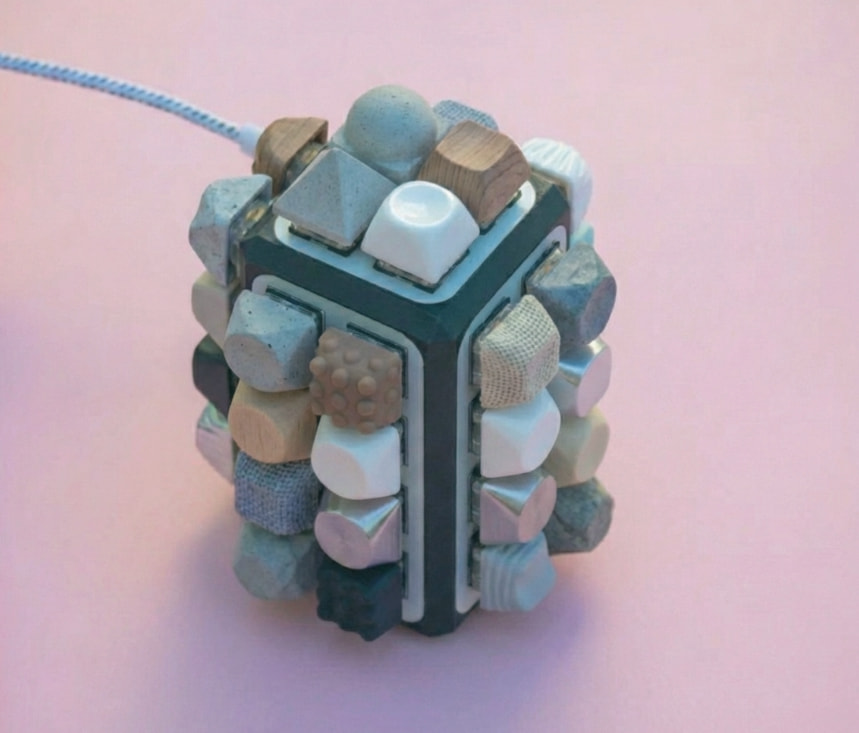
I was thinking of a project which is a keyboard with the features of a memory board for encoding information. There is a community on the internet that spends quite a lot of resources to get all shapes and sizes of keyboards and I thought maybe that could be of some use for a memory device.
Here is a picture of a keyboard made with the help of image generator nano banana 2 with this image as the source. Just for reference of what I envision
Why do it?
The firmware on this device could enable more feedback types, which could be useful to add on to the encoding information process…
The features on the firmware include:
- Custom RGB lighting per key
- Custom Backlight (the whole thing glows on a specific colour)
- Haptic feedback (vibrations as in phones or game controllers)
- layouts
- other stuff
Keyboards have layouts and other configurations that can enable this. For the moment I think of QMK firmware which I have used previously for the keyboards I’ve used.
Final thoughts
I feel I didn’t explain in detail the use of the memory board so If you are interested and have doubts feel free to ask, maybe a video would be an easier way to explain how I use it…
The keyboard project seems doable with a couple dozen hours put into it. But I still have no clear ideas if it would be really useful as a memory device by trying to get this extra feedback I mentioned earlier with hopes that one could leverage the process of memory.
Do you think this idea has potential? How would you design or use it to train your memory and encode information into it?
Is funny because the main function of a keyboard is to type characters in a screen, but can also be used as MIDI (play sounds) or other unusual stuff. This memory training could be one of them. Anyways, for the moment being I’ll just dedicate more time to the memory board I recently made, at the moment of writing this post I have encoded 25 of the 100 emotions and I’ll see how it goes.