For example, when I need to store seven elements I use a star (two triangles, then the centre). If I use it for this image from the movie Tales of Earthsea, I’ll get 1. Dragons in the sky, 2. Plate-form on the right, 3. Stairs on the left, then the second triangle 4. Houses on the bridge, 5. Windows of the red house on the right, 6. Platform in the foreground, and in the center 7. Boats in the haven.
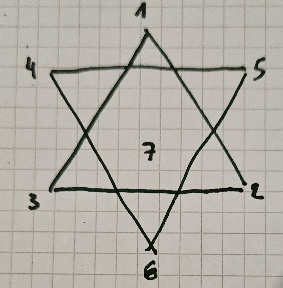

Or you can make simple drawings, like this raven with 15 stations (as you see, you don’t need to be a great artist) and use them for nested memory palaces:
Let’s say you place the raven on station 4 of the earthsea image (the raven is perched on the house roof), and you have added 15 elements there.

The question is : what kind of pictures do you like to look at ?
It really depends on what interests you : famous photographs or classiscal paintings are often online with good resolution, movie/anime posters or screenshots of famous scenes, mythology (greek/latin, norse, chinese… gods, horoes and stories), sports cars if that’s the kind of think you like and would know the details of differents models, if you like sports, emblematic pictures with athletes, artistic movements (solarpunk, cyberpunk, fantasy, …)
Sometimes I ask for images that were made to be desktop wallpapers, they’re usually nice looking and big enough with plenty of details. Just add the keyword in your search, like : «solarpunk wallpaper»
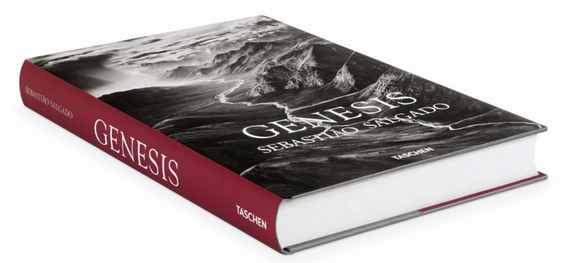
Or go to the library and look at photobooks : for example Genesis from Sebastiao Salgado has more than 500 pages… surely enough to find 20 photos 
Yeah, I did run into this problem too.
The most important thing I learnt is that memory palaces are meant to be used. Unless you need empty memory palaces for competition, don’t learn empty memory palaces.
In the beginning, I thought it would be good idea to have reserves of memory palaces, but most of the time, when I came to use a pre-prepared memory palace I needed to reorganize it : change the journey, or the number or stations, etc. to adapt it to the things I wanted to learn. A waste of time.
Always fill them up, the memory palace will anchor the knowledge, and the knowledge will strengthen the palace.
Now if you want to use a space as a memory palace and you can’t go there to take new pictures…
-
you need to accept that this is a memory palace that is going to be less populated/dense, perhaps you’ll have only 1-4 locations per room/space
-
you can cheat a bit by imagining additional details (nothing said that our memory palaces have to reflect reality)
For example : I can’t go back in time to my grandparents house to see how the living room really looked like.
What I remember : there was a dresser with several knick-nacks on it, among them a little statue of a bird, a fireplace, an armchair where my grand father slept, a little yellow sofa, an upright piano, a little red sofa.
I added more stations/location by imagining things : a small table next to the armchair for my grand father to put his pipe tray (I don’t remember him having one, but logically he would have since he smoke, and it makes sense for it to be there), a table between the two sofa with a flower vase on it (again I don’t actually remember, but such a piece of furniture would make sense), two other kick-nacks on the dresser on each side of the bird (grouping of 3 objects usually work well for me), etc.
You have to be careful with the placements (ideally the things you add wouldn’t fit as well anywhere else). But if you don’t overdo it, I find that the «real» memories anchor the «fake» ones really well.
Study first, memory palace last
Especially if you have a wide-scope project where the memory palace is meant to stay forver in your memory, it makes sense to use one tailored for what you want to memorize.
-
I understand/study and organize the information I want to memorize first.
For example : I have 102 chapters, with three big sections of 31, 24, 22 and 25 chapters, I’m not entirely sure how many points I want per chapters, probably between 3-6.
I don’t recommend having more levels than 3 (sections, chapters, details). If you can’t remember everything you need with this, you’ll need other techniques, « more memory palace » won’t help much.
You don’t HAVE to have different levels like that, but it does help. -
Now that I know what kind of memory palace I need, I go take pictures.
For example : I chose a university campus in a city I know I would need to go to meet someone. I arrived there two hours early to get planty of time. During the train ride going there, I looked briefly at the place with google maps satellite view to have an idea of which path I wanted to take (approximately). I won’t obligatorily follow this path but it’s good to have an idea of the layout of the place, so that I don’t end up stuck in a corner of the map, or crossing my own path, etc. when I’m walking there. -
Ideally, I also encode the information on site, while I’m taking the pictures. It’s not always practical, because it takes more time (but saves a lot of time later).
Often I compromise by placing (vizualising) only the first level on site : I imagine the themes of the chapters while I’m visiting the memory palace, but not the details yet. -
Back home, I import the information from excel into anki and drag and drop the pictures. The better pictures I took, the quicker it is.
To take good memory palace pictures :
- First level : take one good picture of a zone/chapter
- Detail level : take several pictures of interesting details (the « hooks » where you’ll place your stations for the details), it’s better to take a bit more, to have breathing room, just in case you realize you need more points in a certain chapter.
- General pictures : if possible a first level (chapter) picture should show the next first level chapter in the background. That way it reinforces the links/order between the zones/chapters.
Another way to do this is to take aerial or satellite pictures from the internet (from google pictures and/or maps). - Take the pictures in order (in the order of zones/chapters, and the locations/details in order inside each chapter). Take a bit of time, observe first before shooting. Take the pictures following a path that feels natural.
You don’t want to have to sort out tons of pictures coming home ! At most you should need to discard the detail level picture you don’t need. - Don’t go on straight lines. There’s nothing worse for me than a street with tons of shops in a row. I never remember the order and I mix thing up. Take as much twist and turns as possible. It will give you more stations and the path is going to be easier to remember. (This was counter intuitive for me, I thank LynneKelly for giving me this trick.)
If you absolutely need to use that long row and you have a PAO system, you can use it to number the stations to help keep it in order (Laura lives in the yellow house, Lilo bring a letter to the post office, lemmings are devouring everything in the restaurant, Luke is in the flower shop buying roses for his fiance, etc.)
Examples:
Chapter 19, with chapter 20 in the background
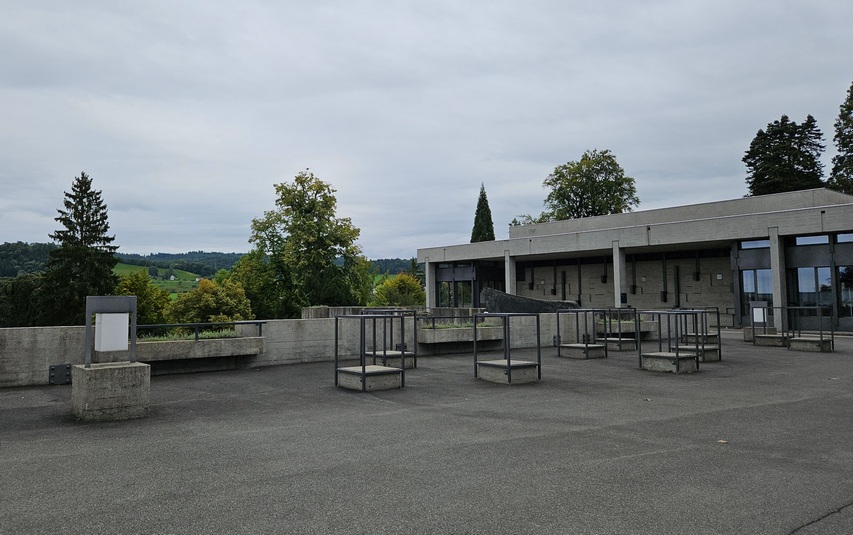
Chapter 20, overall view
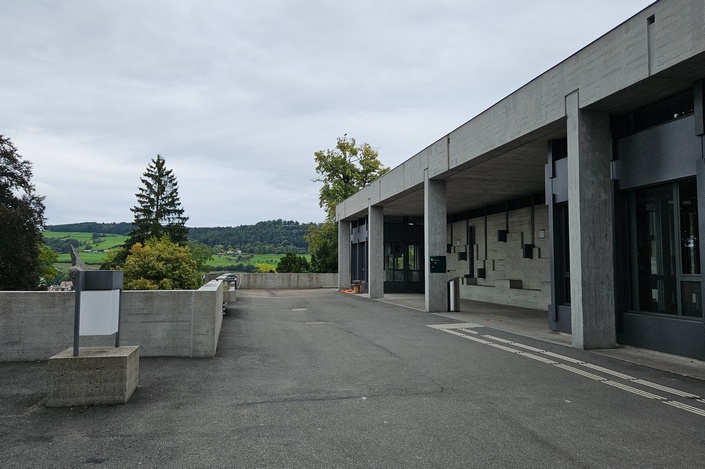
Details for chapter 20

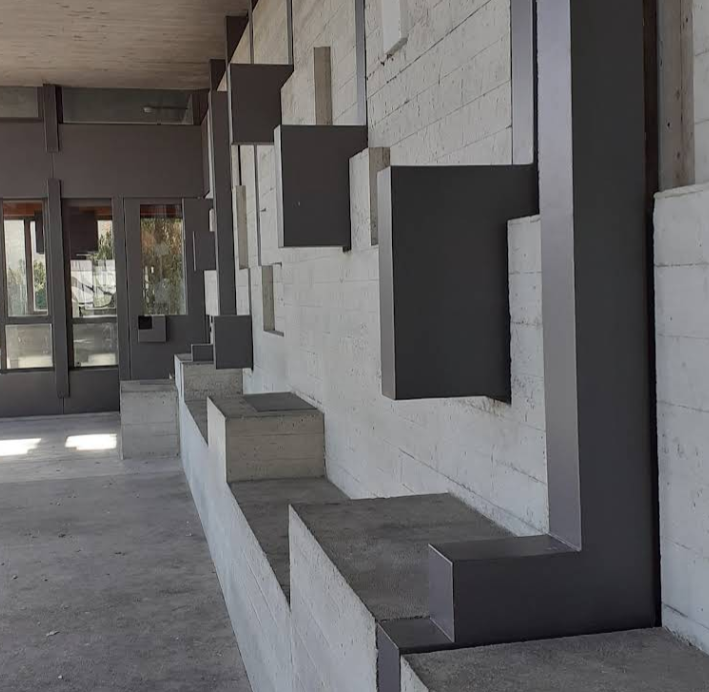
Just added the numbers on this pic to help me visualise these stairs (one chapter on each landing)

The process may seem a bit cumbersome, but with practice it will become easier and much much quicker. Practicing is key.
I made huge progress by making a 1000 stations memory palace to store my 999 PAO. It’s fortunate that it’s a memory palace destined to fade because it was my first wide-scope project and the beginning (numbers 0-200) is… serviceable. (Although one could argue that having one of my first memory palace showing me how far I’ve come is useful in itself).